
For: Page editors.
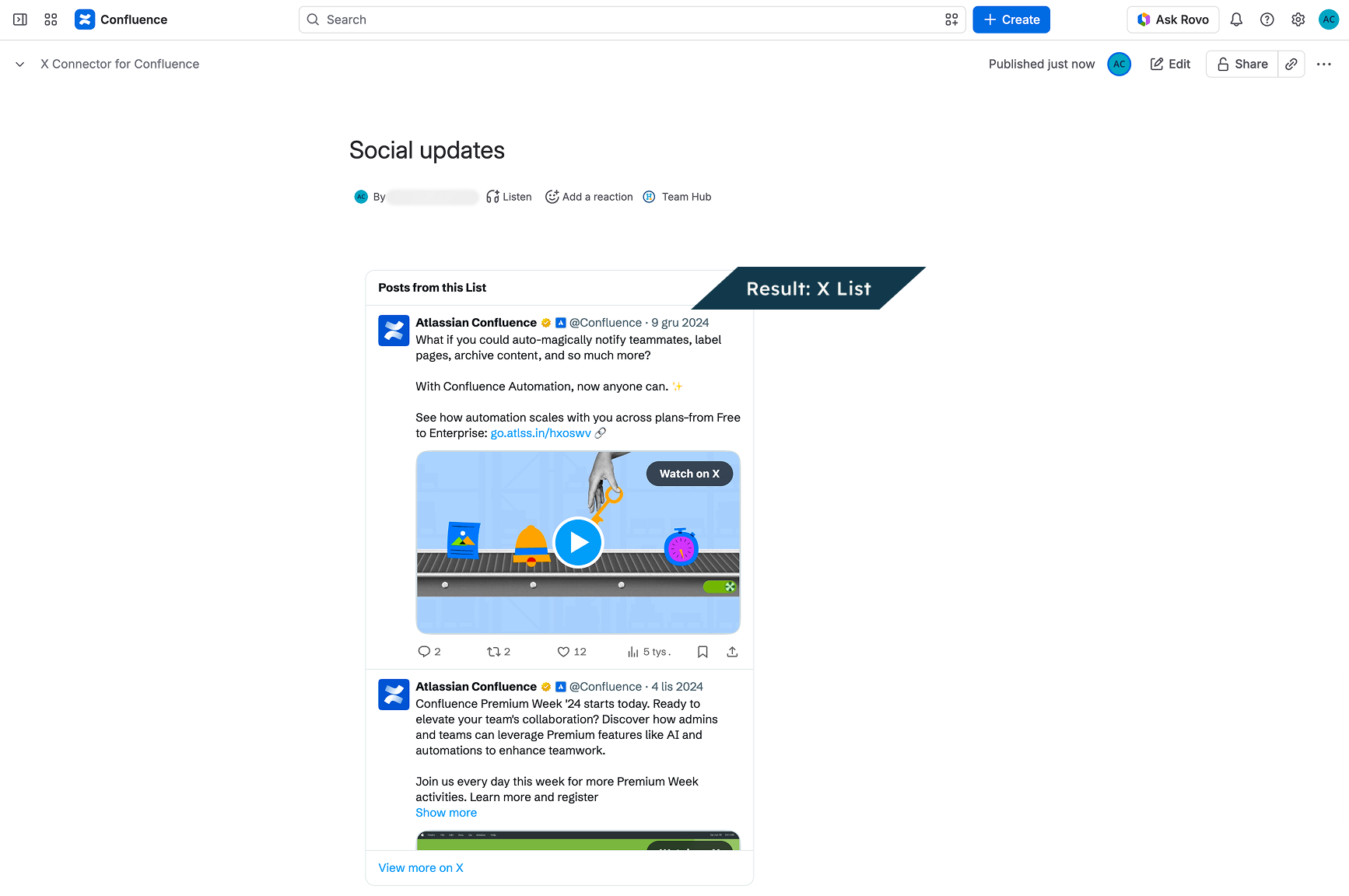
Show new posts from the people in a public X List. A List is a set of accounts that someone picked on X. Readers see your sources in one place, next to your notes.
Live example
On a research page, show a public X List from experts you follow. Below the posts, add what your team learned and the date.
Before you start
-
You can edit this page.
-
You have a public X List URL.
-
Ask your admin to connect the X API key with the access and credits needed for timelines.
Create and manage the List’s members on X. With the key, posts refresh at the times your admin sets. Without the key, the app may try X’s public embed. It can show few posts or none.
Add it to a page
-
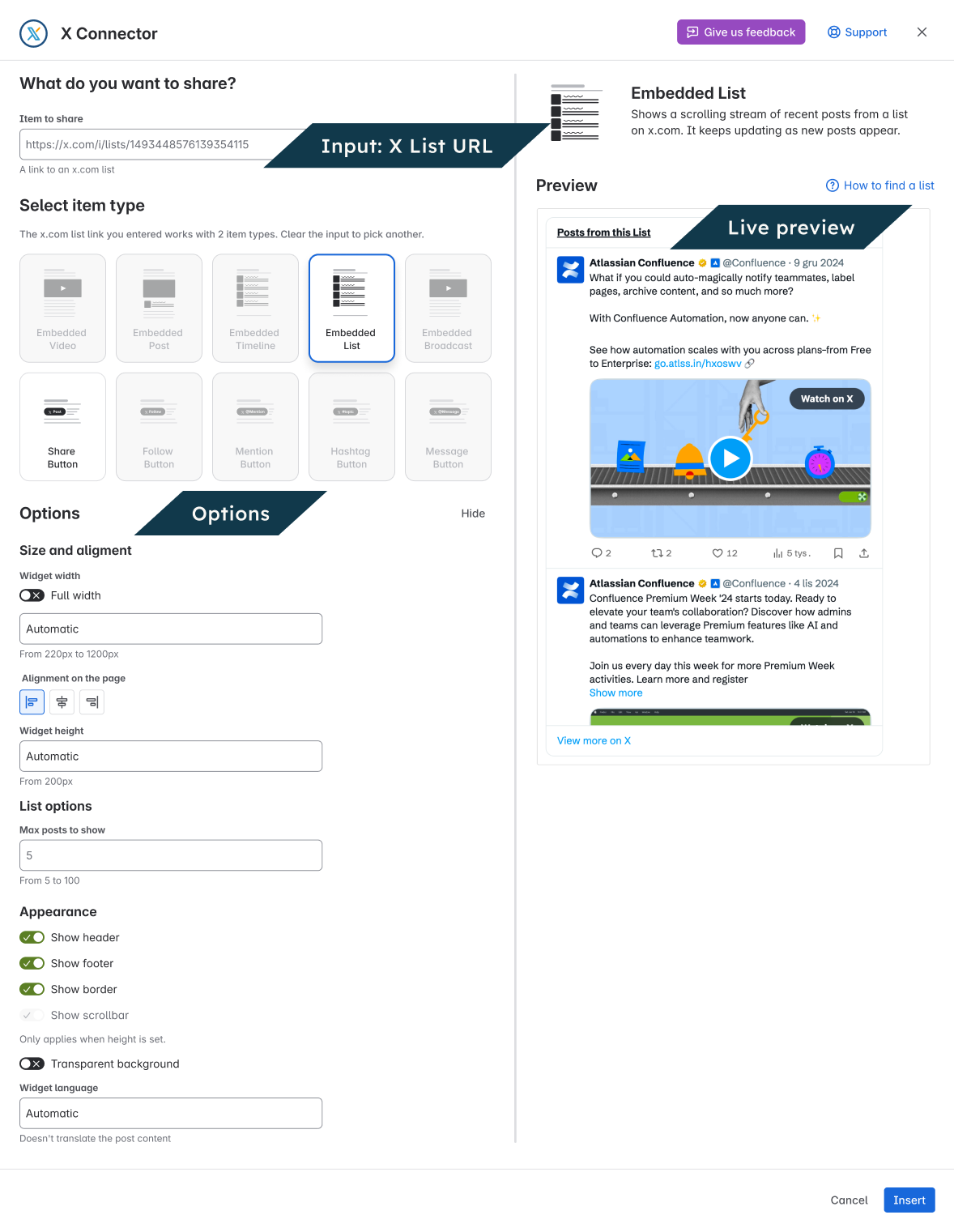
Open the page’s insert menu. Choose Embedded List.
-
Enter a public X List URL in Item to share.
-
Choose your settings and check the preview.
-
Choose Insert.
-
On a regular page, publish or update it. Others can then see what you added.
To change it later, open its editor.
Settings
|
Setting |
What it does |
|---|---|
|
Full width |
Use the available page width. Turn off to show width and alignment controls. |
|
Widget width |
220–1200 px when Full width is off. Leave blank for the 600 px default. |
|
Widget height |
Optional; at least 200 px. Sets a height limit. Readers can scroll inside the timeline. |
|
Alignment on the page |
Left, center or right when Full width is off. |
|
Max posts to show |
5–100. Limits the main post list. A pinned post or parts of a thread can add more content. You may see fewer posts if X cannot return them. |
|
Show header / Show footer |
Show or hide the timeline header and footer. |
|
Show border |
Show or hide the border. |
|
Show scrollbar |
Available when you set a height. |
|
Transparent background |
Let the page background show through. |
|
Widget language |
Sets X labels when the public embed is used. The app’s own timeline labels follow the reader’s Confluence language. Posts are not translated. |
Check the result
View the page as a reader. Check that it shows the content you chose. If it will not load, open the source on X. For next steps, use Fix a problem.