
For: Page editors.
Play a live or recorded X broadcast on your page, in X’s player. Readers watch it next to your event plan. They do not have to leave the page.
Live example
This broadcast plays below, in X’s player. On an event page, put it below the plan and time zone. Add event links and written notes too, for readers when the stream is not on.
Before you start
-
You can edit this page.
-
You have an X broadcast URL beginning with
https://x.com/i/broadcasts/. -
You do not need an X API key.
X must still provide the stream or recording. For a normal X post with video, use Embedded Video. The app does not host or record streams.
Add it to a page
-
Open the page’s insert menu. Choose Embedded Broadcast.
-
Enter an X broadcast URL in Item to share.
-
Choose your settings and check the preview.
-
Choose Insert.
-
On a regular page, publish or update it. Others can then see what you added.
To change it later, open its editor.
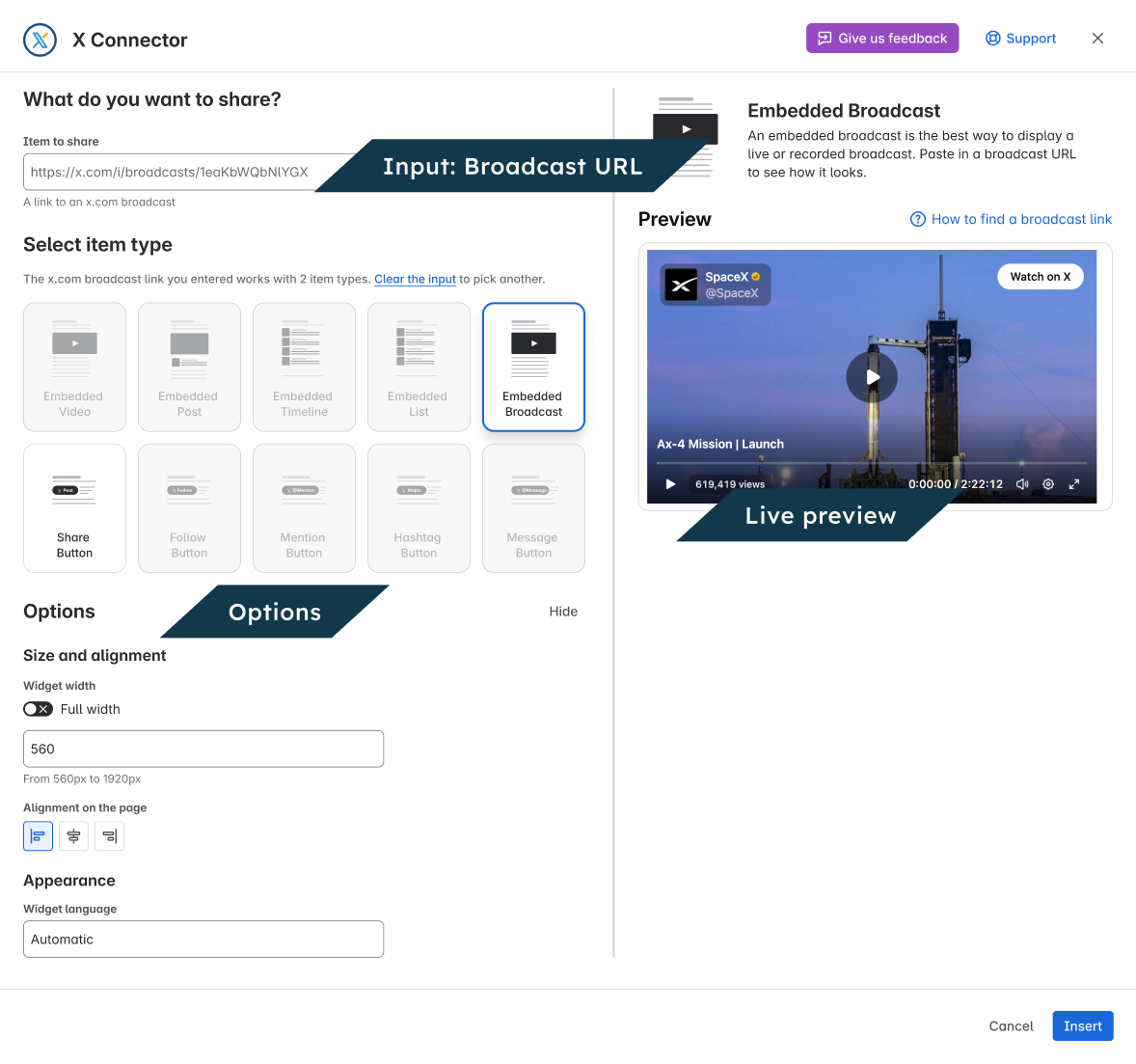
Settings
|
Setting |
What it does |
|---|---|
|
Full width |
On for a new item. Use the available width. |
|
Widget width |
Required when Full width is off: 560–1920 px. There is no separate height setting. |
|
Alignment on the page |
Left, center or right when Full width is off. |
|
Widget language |
Request a supported language for X player labels. Video and speech are not translated. |
Check the result
View the page as a reader. Check that it shows the content you chose. If it will not load, open the source on X. For next steps, use Fix a problem.