
For: Confluence admins.
Set how often profile and List timelines can load new posts. The app saves a copy of the posts, called a cache. Readers share that copy across your site.
Change the interval
-
Open Manage apps → X Connector for Confluence → Configure.
-
Find Timeline & list cache.
-
In Refresh timelines and lists every, enter a whole number from 1 to 168 hours. The default is 24 hours.
-
Save the setting.
Choose a starting point
|
Interval |
When to consider it |
Trade-off |
|---|---|---|
|
24 hours |
General team and reference pages. |
A daily refresh with shared saved posts. |
|
1 hour |
Pages where newer posts help. |
More requests can use more credits. This is still not a live feed. |
|
168 hours |
Background reference pages. |
Fewer refreshes. Posts can stay the same for a week. |
When the set time ends, the next page view starts a refresh. The app does not refresh timelines that nobody views.
Readers may still see old posts while new ones load or if the refresh fails. If timelines use the same source and post-count group, they can share saved posts across pages.
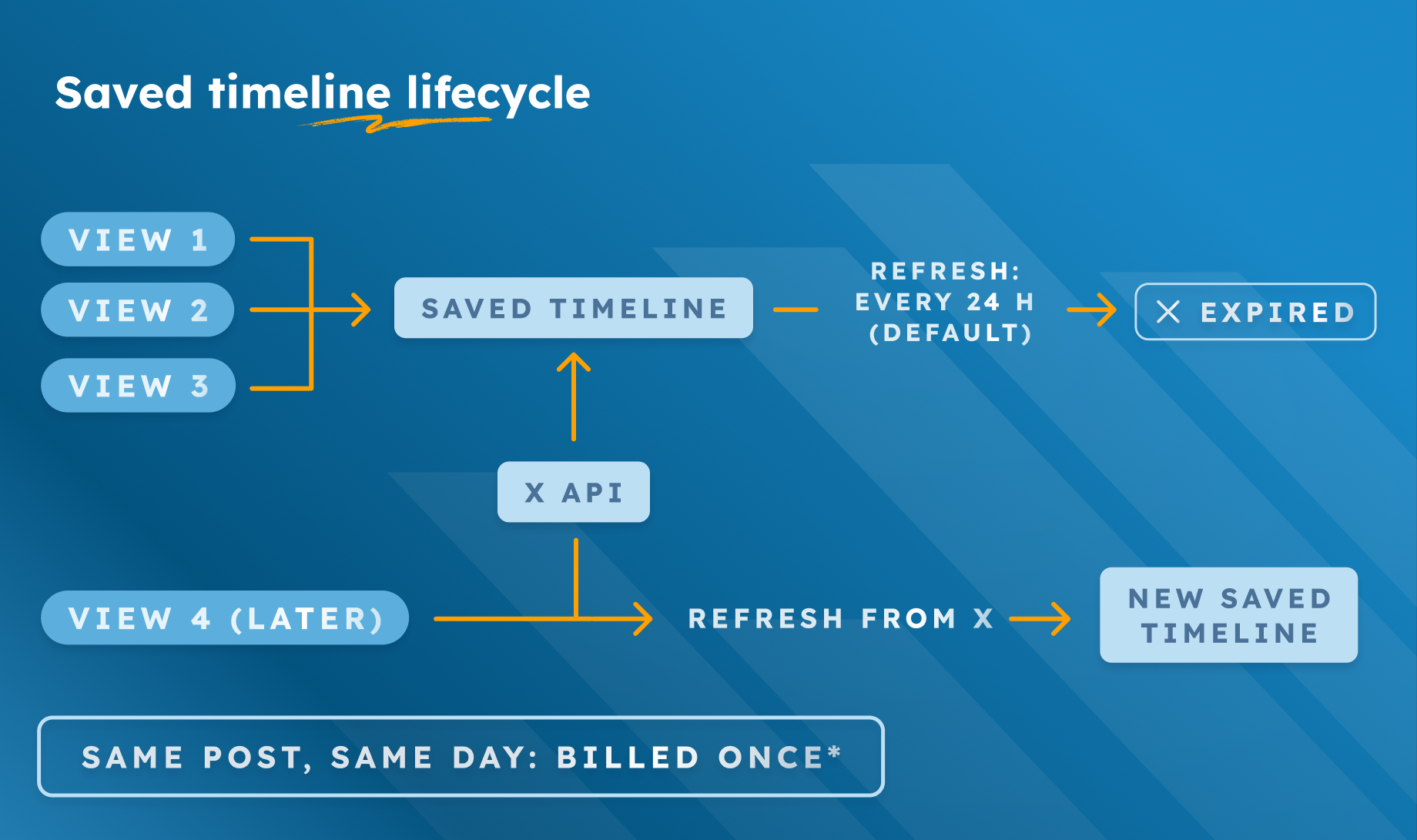
X normally charges once for the same Post or User returned within a UTC day. UTC is the clock X uses for that billing day.
That rule changes the bill. It does not make posts newer. X calls it a soft guarantee, so it may not always apply. See examples in Usage costs.
Check the result
Check that Refresh timelines and lists every shows the hours you saved. When that time has passed, open a timeline. Check whether it shows new public posts.
A page reload does not force new posts to load each time. Check X usage in the Developer Console. If posts still fail to load, use Fix a problem.