
For: Confluence admins.
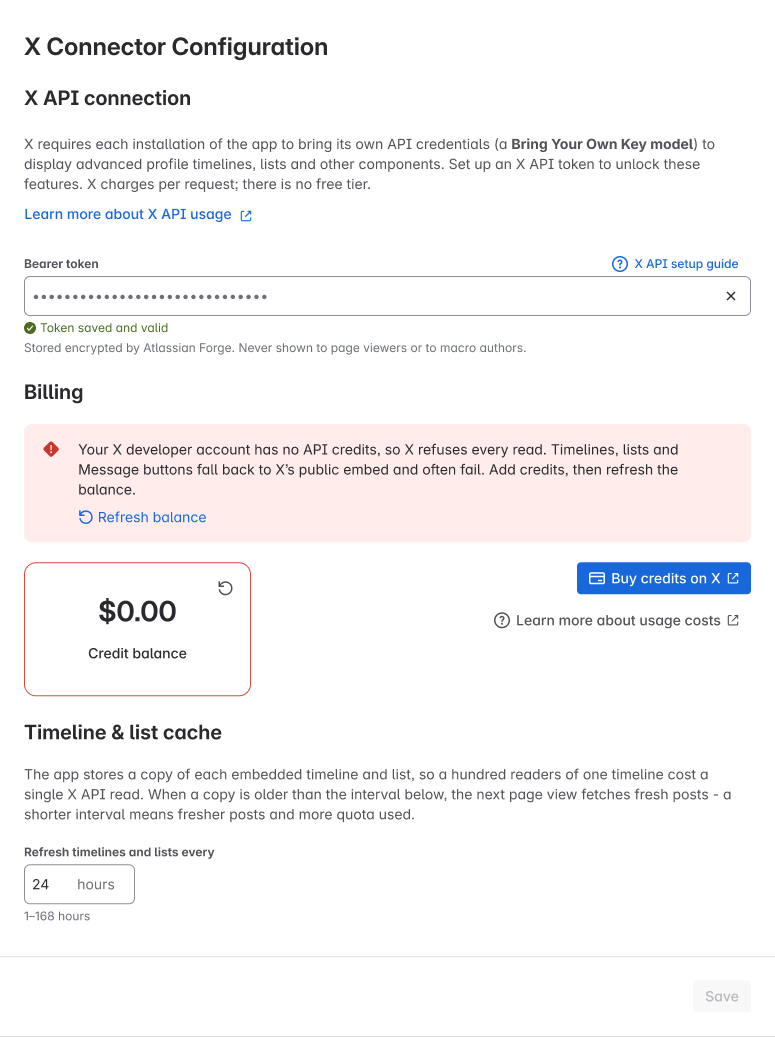
X says the account has no API credits left. The page asks readers to get help from their Confluence admin.
What you may see
“has run out of credits”. The editor and reader may see different wording.
What to do
-
Open the X Developer Console. Check the credits left and the spending limit.
-
Buy more credits from X if needed. Then go back to the app’s Configure page.
-
Check Credit balance. Test a public timeline in the preview. If the balance check fails, you do not know how much is left. It may be more than zero.
Check the result
Check that X says there are credits left. Preview a public timeline and check that posts load. You pay X for these credits. The app fee goes to Atlassian. See Usage costs for a starting budget.
Need help? Contact support. Send the page URL, the public X link, your role and when it failed.
.png?cb=240332a3fad9076ed5aa84c2075f815d)
.png?cb=a48eda16d4a37d5171c1d0457de1b311)
.png?cb=175628ba6fefd4e43dcadb9dfe1093bd)