For: Page editors.
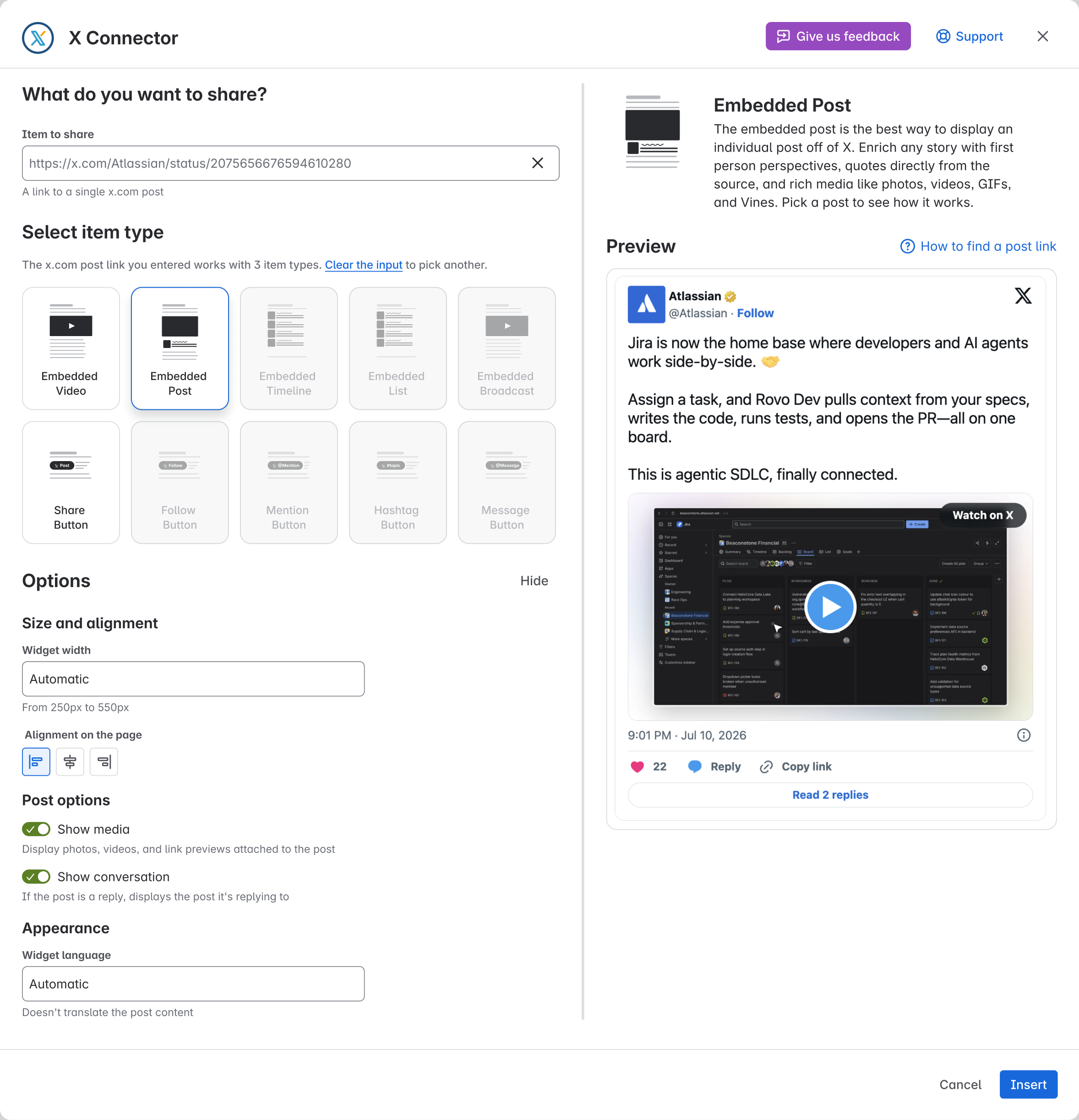
Fill in the fields the app needs before you insert or save. For a saved item, Save stays greyed out until you change something.
What you may see
The Insert or Save button is greyed out. You cannot choose it.
What to do
-
Choose a type and enter a supported Item to share.
-
Fix any fields marked with an error. Use the component guide to check width, height and other settings.
-
For Message Button, wait while the app checks the username. You can also enter the correct X user ID made of digits. See Message recipient problems.
-
If the item is already saved, check that you changed what you meant to change. There is nothing to save if it stays the same.
-
If the app says the subscription is inactive, ask your Confluence admin to check Manage apps. Your admin needs to fix this before you can save.
Check the result
For a new item, fill in the fields the app needs. Check that you can choose Insert. For a saved item, make a valid change. Check that you can choose Save.
Check the preview before you save. If all fields are valid but saving fails, send the error to support.
Need help? Contact support. Send the page URL, the public X link, your role and when it failed.
.png?cb=d5571cdb6fb7deb1278f826b42b95e09)
.png?cb=9b15d736a354c503a29ad8e1e1a84806)