
Stay updated on posts that matter most by adding them to your Watching list.
Start Watching
-
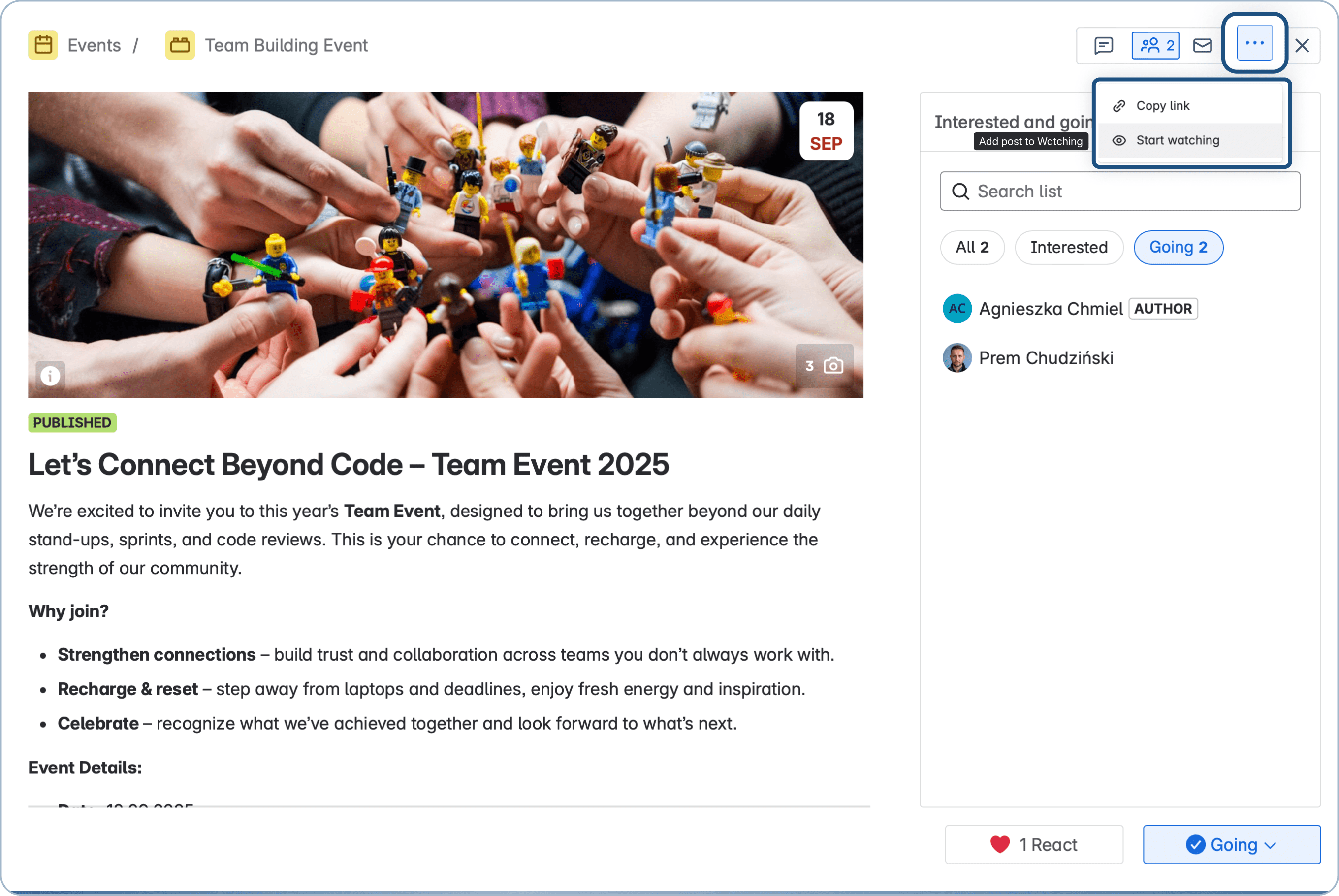
Open a post and click the More actions (⋯) menu.
-
Select Start watching to add it to your watch list.
-
You’ll now get updates when there are new comments or activity.
Stop Watching
-
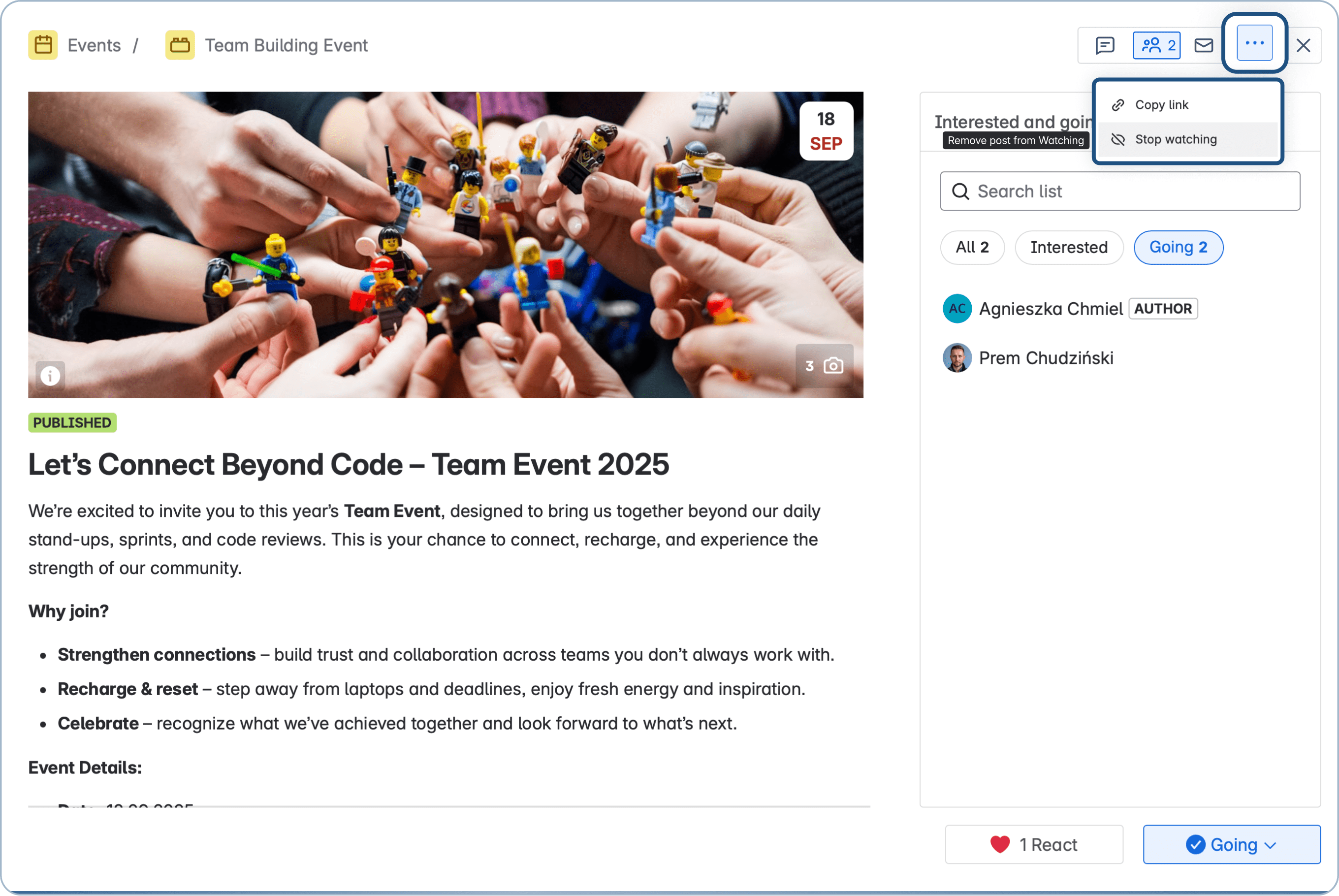
To remove a post, open the same menu and select Stop watching.
-
The post will be removed from your watch list, and you’ll no longer receive updates.
💡 Tip: Use Watching for important announcements, projects, or events you don’t want to miss.
About the app
Team Hub for Confluence adds a noticeboard to a Confluence site: one board for news, events, jobs and classifieds, where every post has an end date. It installs from the Atlassian Marketplace.