
Save a Jira filter for yourself, for everyone on a board, or for every board on the site, and see who manages each of the three levels.
Clean your board and forget about Quick Filters
The new JQL filters simplify the way you filter and search for issues.
Discover what are the filter types and their scope, now the filters can be created, managed or migrated between boards.
Filters types
You can create Board, Backlog, Epics Panel, Version Panel or Quick Filters.
Separate filters by type for a specific purpose. This will help you reducing the number of Quick Filters to make have a clean and readable board.
Filters scope and visibility
Board, backlog, epic or version panel filter can be created as a:

User (private) - users can create their own private filters not visible to others
Board (team) - filters visible to everyone on a board, backlog or epic panel managed by the board administrator

Global (all boards) - filters visible to everyone and available on all boards created and managed by Jira administrator. Created filters can be edited anytime from a single screen on all boards.
Accessing filters
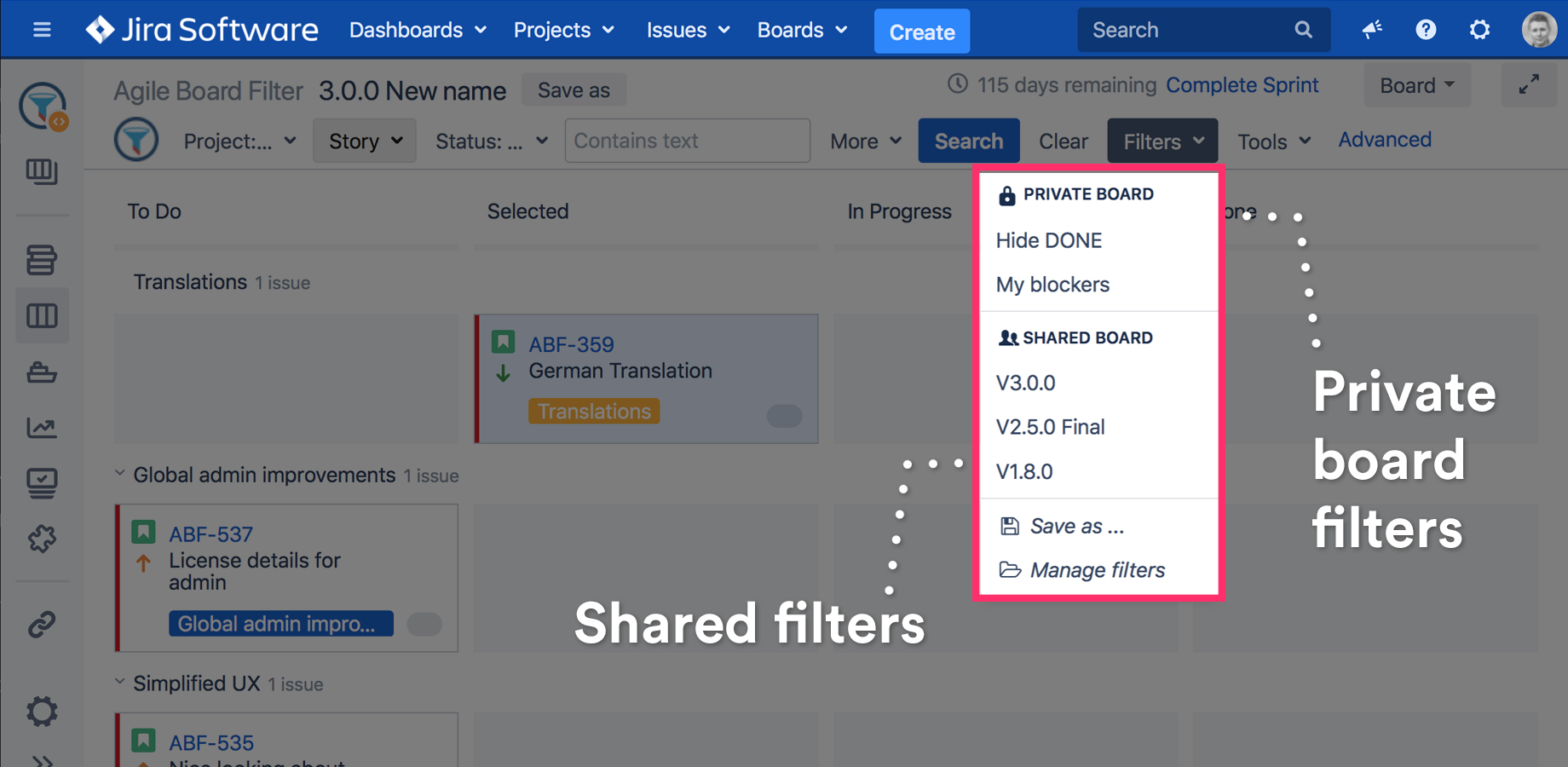
Filters can be loaded from the Filters menu. To load a filter select it from the list.
Creating a new filter
Board and backlog filters
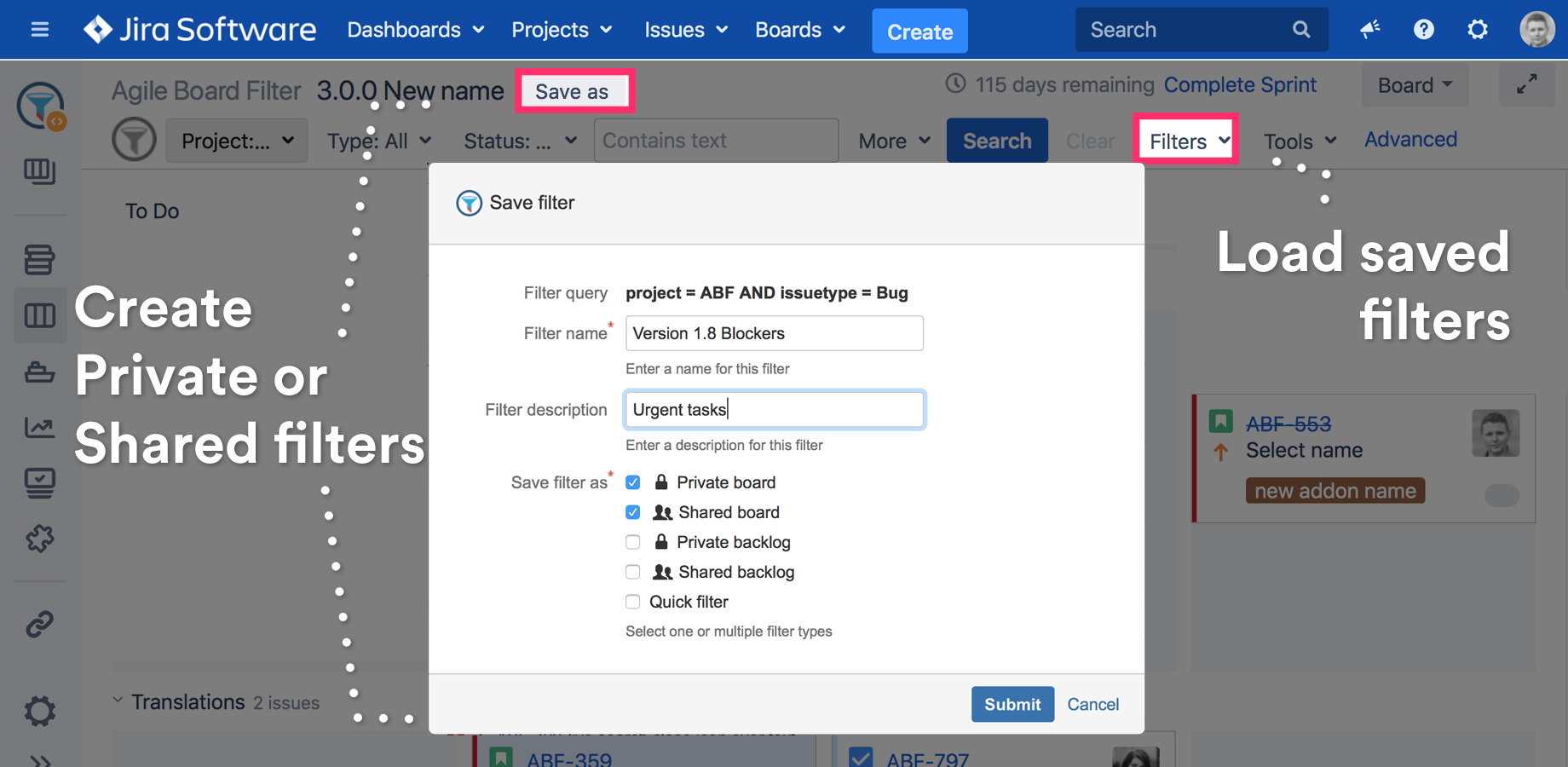
To create a filter use the Save as.. button on the top of the board or backlog.
Epic or Version Panel filters
To create a filter use the Save as.. option from the filter list.
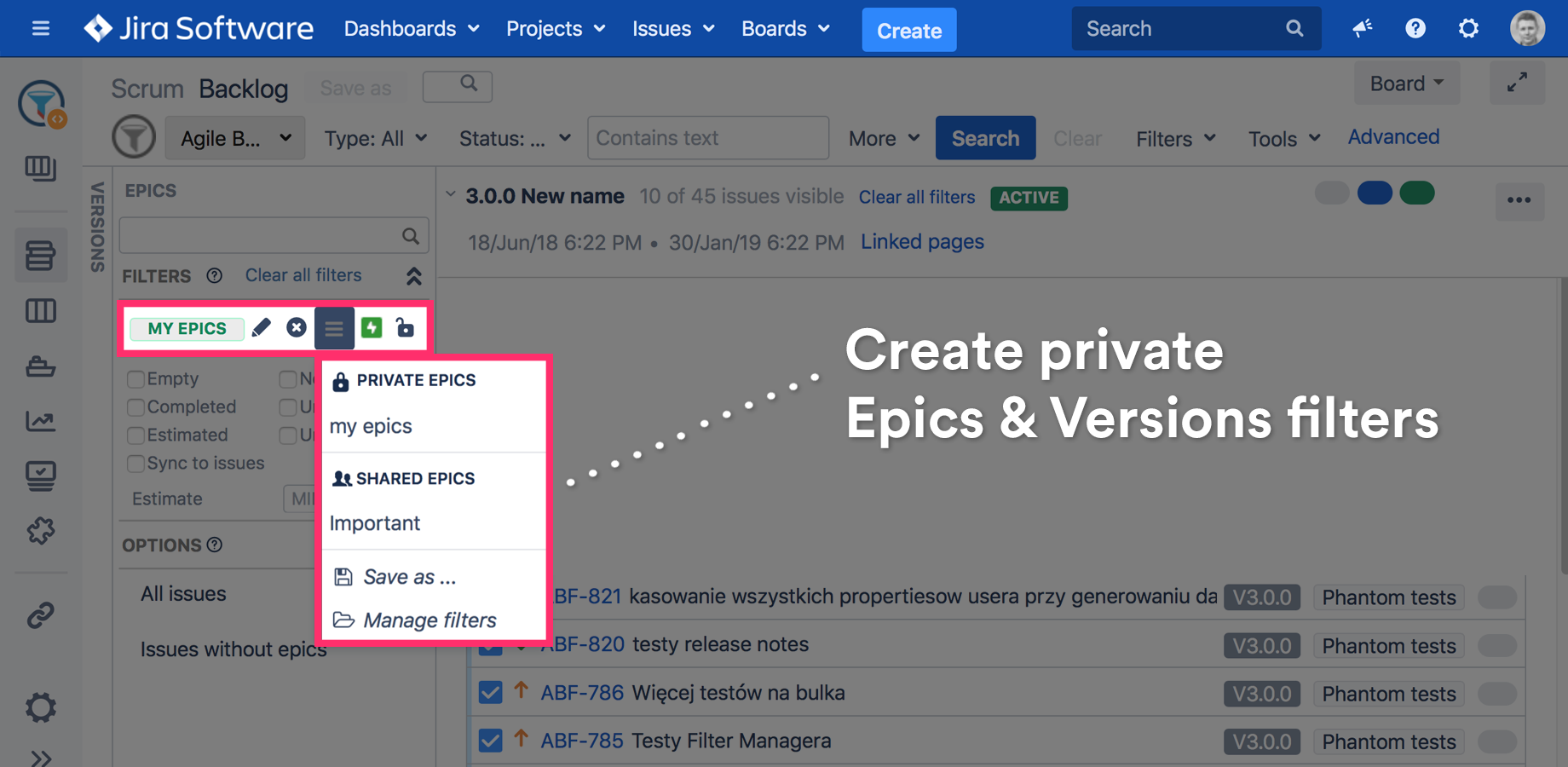
See Filter Epics & Versions on Backlog using JQL and predefined filters page for more details.
Filter Manager
A build-in tool will help you managing the filters for example reorder, import, export, copy, change type.
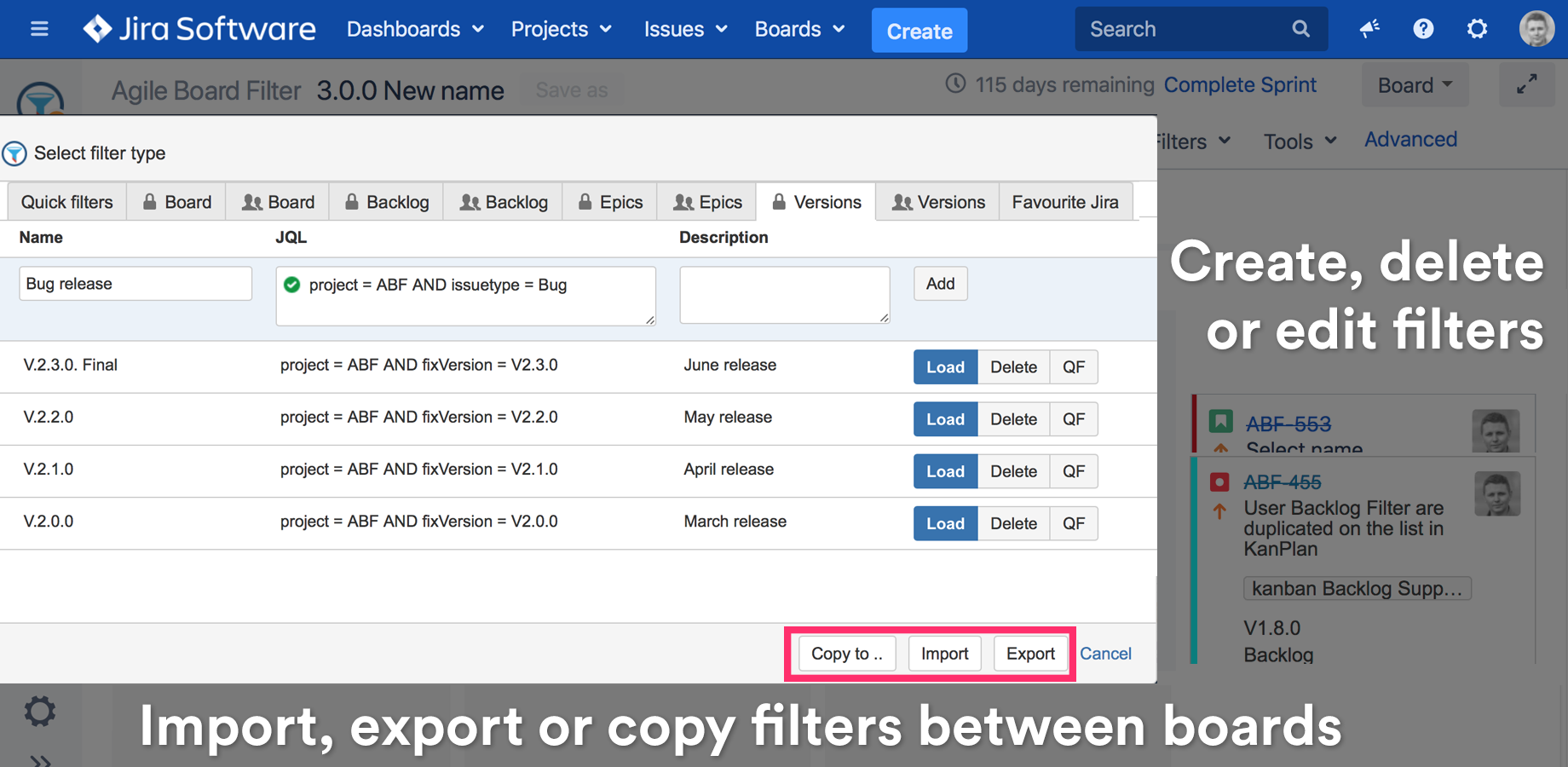
See Copy or move filters using Filter Manager page for more details.
Saved user, team and global filters come from Agile Tools and Filters for Jira. A filter you save once stays on the board, so you do not rebuild it on every visit.