
Support Requests
Please contact eXtensi Support if:
-
you find what appears to be a bug in Agile Tools & Filters for Jira Software
-
you have a general configuration or usage issue
-
you want to as about pricing, licensing and new features
When contacting , please include the following information:
-
Agile Tools & Filters for Jira Software SEN
-
Agile Tools & Filters for Jira Software version
-
Jira Software version and hosting type
-
Used browser type and version
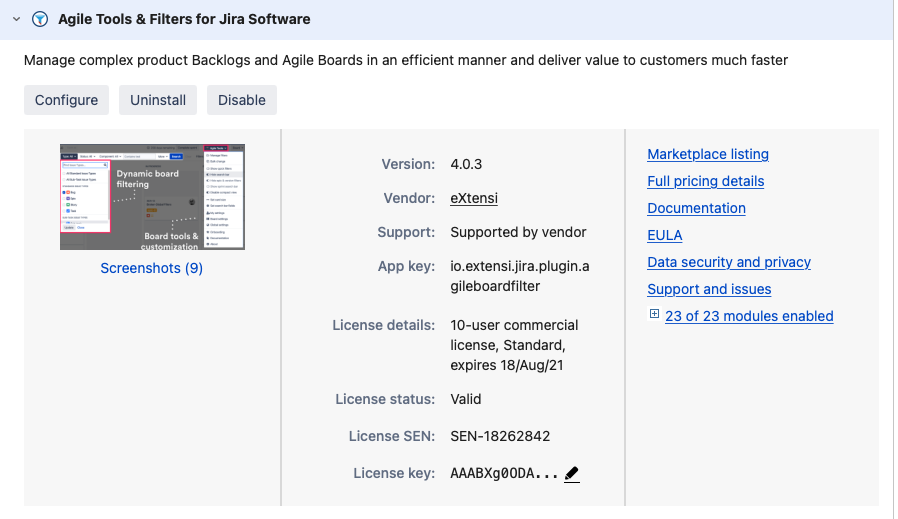
How to get SEN and Version?
To find your product SEN and version:
-
Navigate to Manage Apps from the Jira Administration Menu.
-
Click Manage Apps under Atlassian Marketplace.
-
Locate Agile Tools & Filters for Jira Software and expand the information. The Installed Version and License SEN are displayed.
Jira Software Version
To find your Jira Software version, navigate to Applications from the Jira Administration Menu.
The version number is also visible in your Jira Software footer.