
Filter the Epics and Versions panels on a Jira backlog by text, by JQL or by ready-made filters such as Empty, Completed and Unestimated.
Feature overview
Epics & Versions can be filtered using multiple tools:
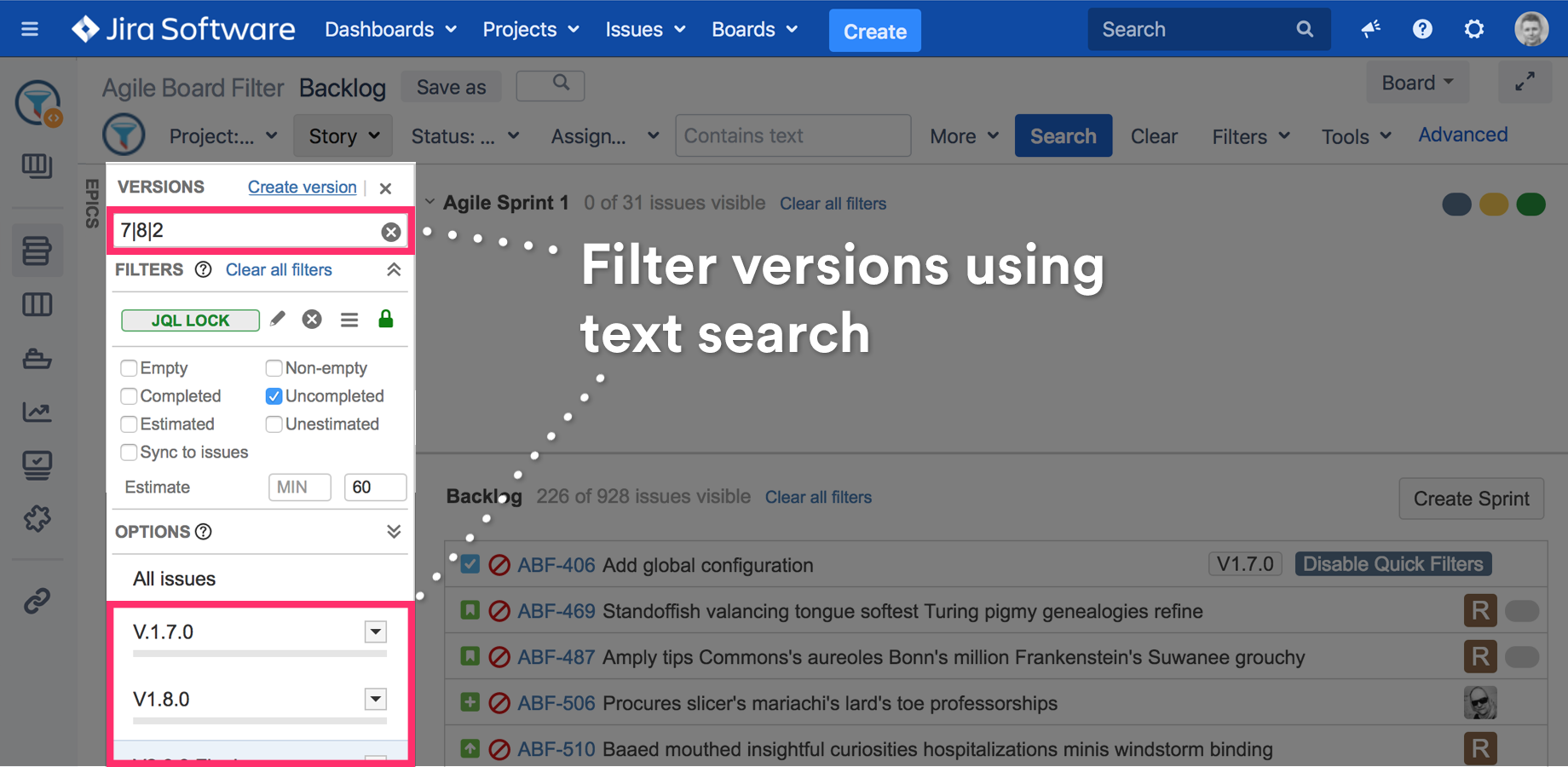
Live text search on Epics & Versions panels
Use the live search input for fast text search, using project key, name or issue key.
OR Filtering Syntax to include multiple keys or versions
Use the | character to search for multiple list items (similar to 'OR' statement in JQL).
For example "1.8|1.9|2" will return versions which contain 1.8, 1.9 or 2 strings including 2.0, 2.1, 2.2.2
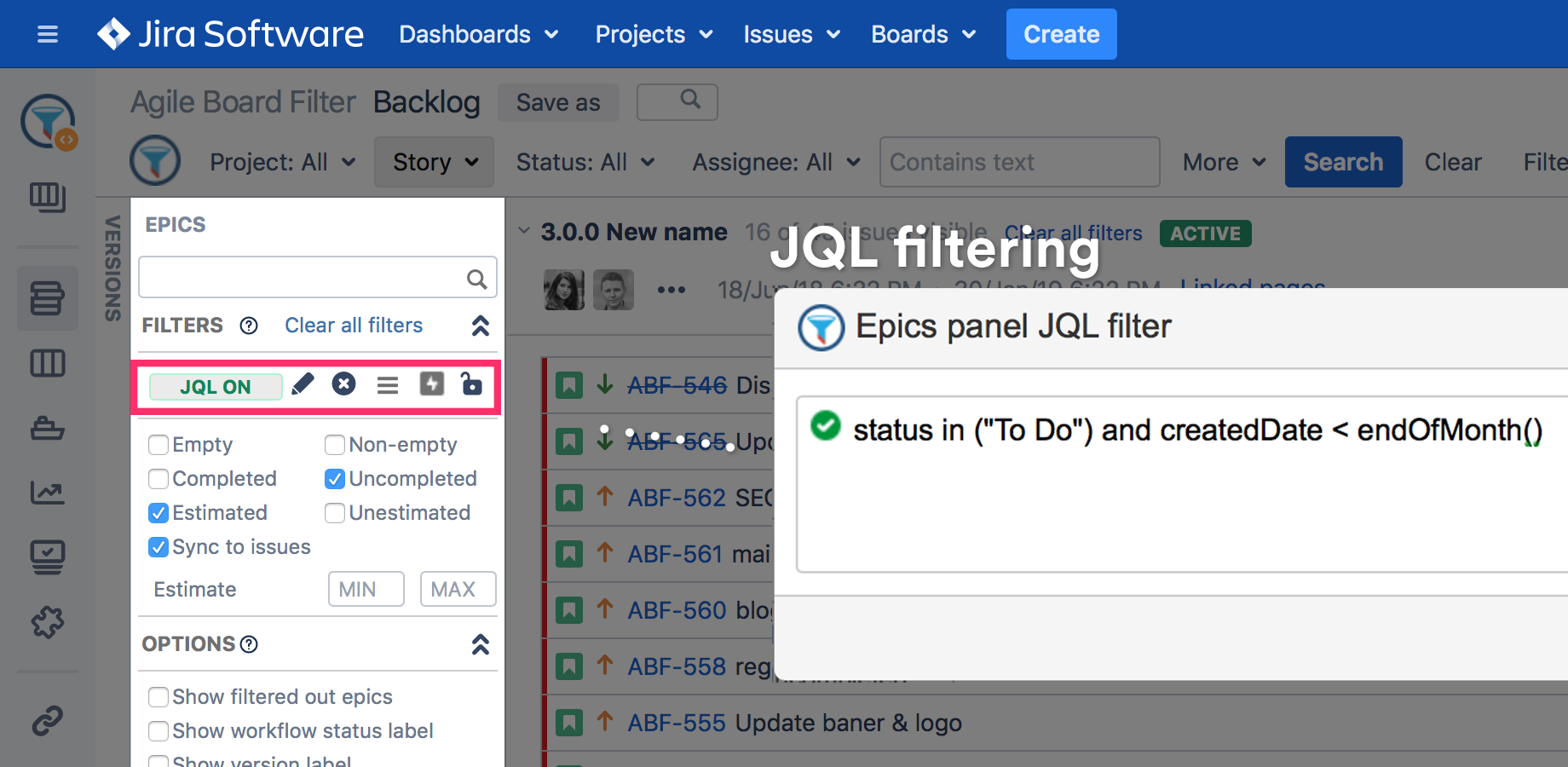
JQL filtering on Epics & Versions panels
Find epics or versions using a component or label. Filter Epics & Versions panels using the main search bar or JQL statements.
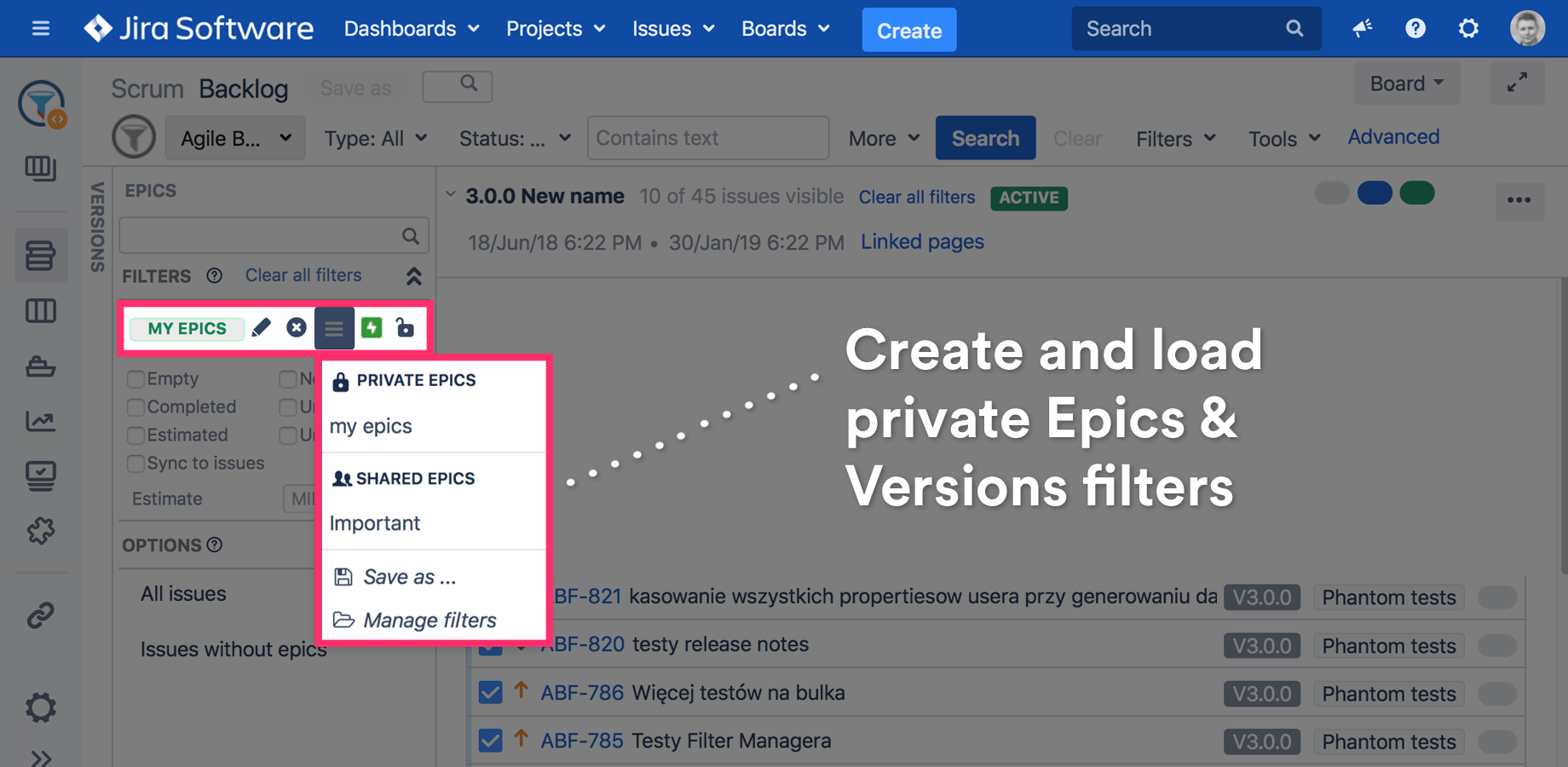
Filters can be saved using the Save as... option and loaded from the filter list.
Private & shared filters for Epics & Versions panels
JQL search queries can be saved as private (visible only to the creator) or shared filters. For example, you can put your epics or versions into groups or a Scrum Master can prepare filters for the planning session.
Using the Filter Manager tool, you can export your Epics panel filters to any other backlog.
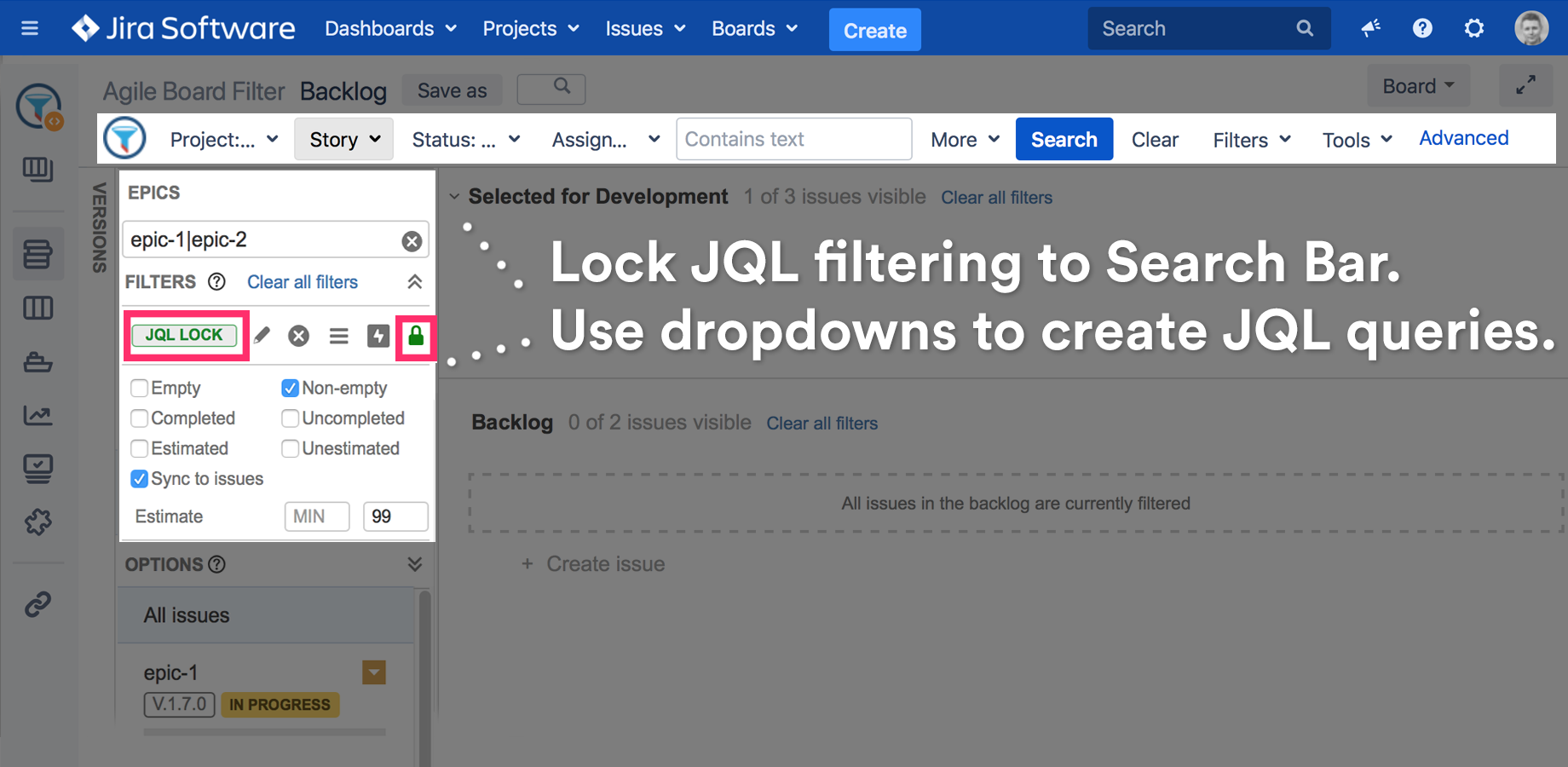
Lock Epics & Versions panels JQL filtering to the main filtering bar
JQL seems to be too complex for you? No worries. Use the board main search bar to filter EPICS panel using graphical drop-downs.
Once unlocked, the board's JQL will be copied to JQL panel. Then, you can continue to filter the EPICS panel separately.
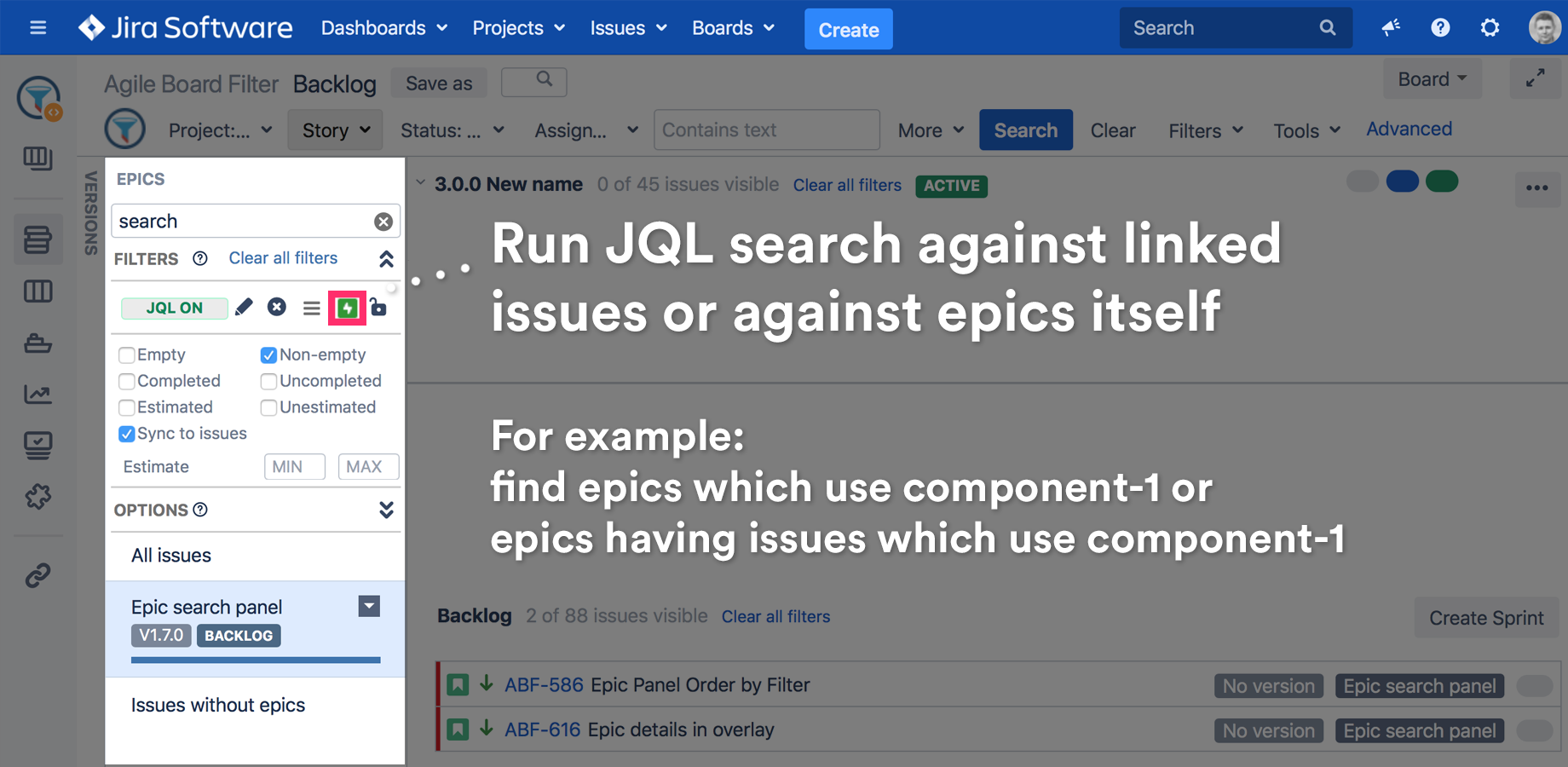
Run JQL search directly on epics or on issues liked to epics
Change the JQL search mode on the epics panel. JQL query will be executed against epics or issues linked to epics.
For example you can find epics using component1 or find epics by issues using component 1.
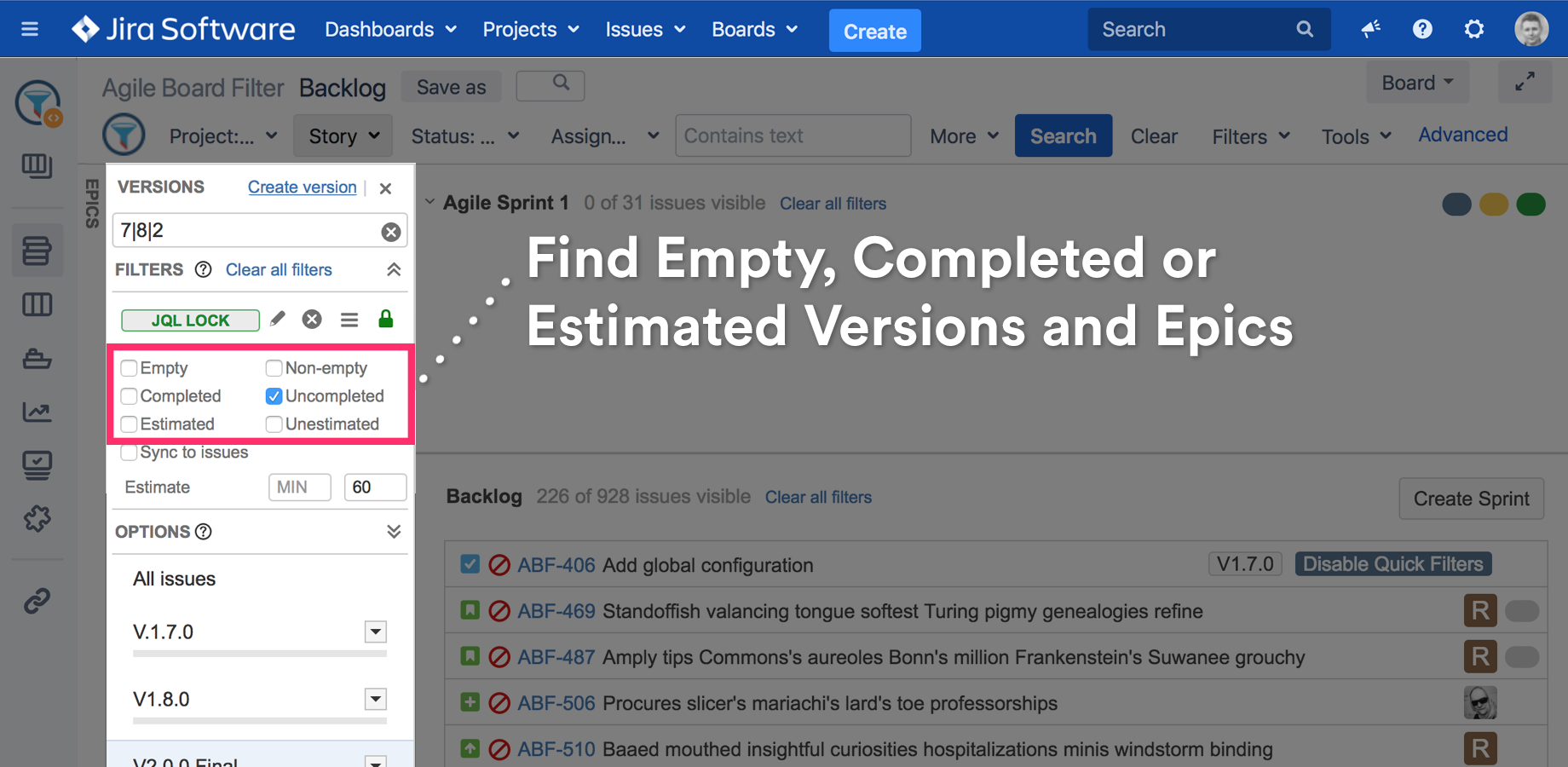
Pre-defined Epics & Versions panels filters
Predefined Epic & Versions panels filters including: Empty, Non-empty, Completed, Uncompleted, Estimated, Unestimated.
Filters are "intelligent". For example, you can select Empty and Non-empty filter at the same time and they will not exclude each other as Quick filters would do.
Additionally filters are persistent. After the board is refreshed, filters will be automatically loaded.
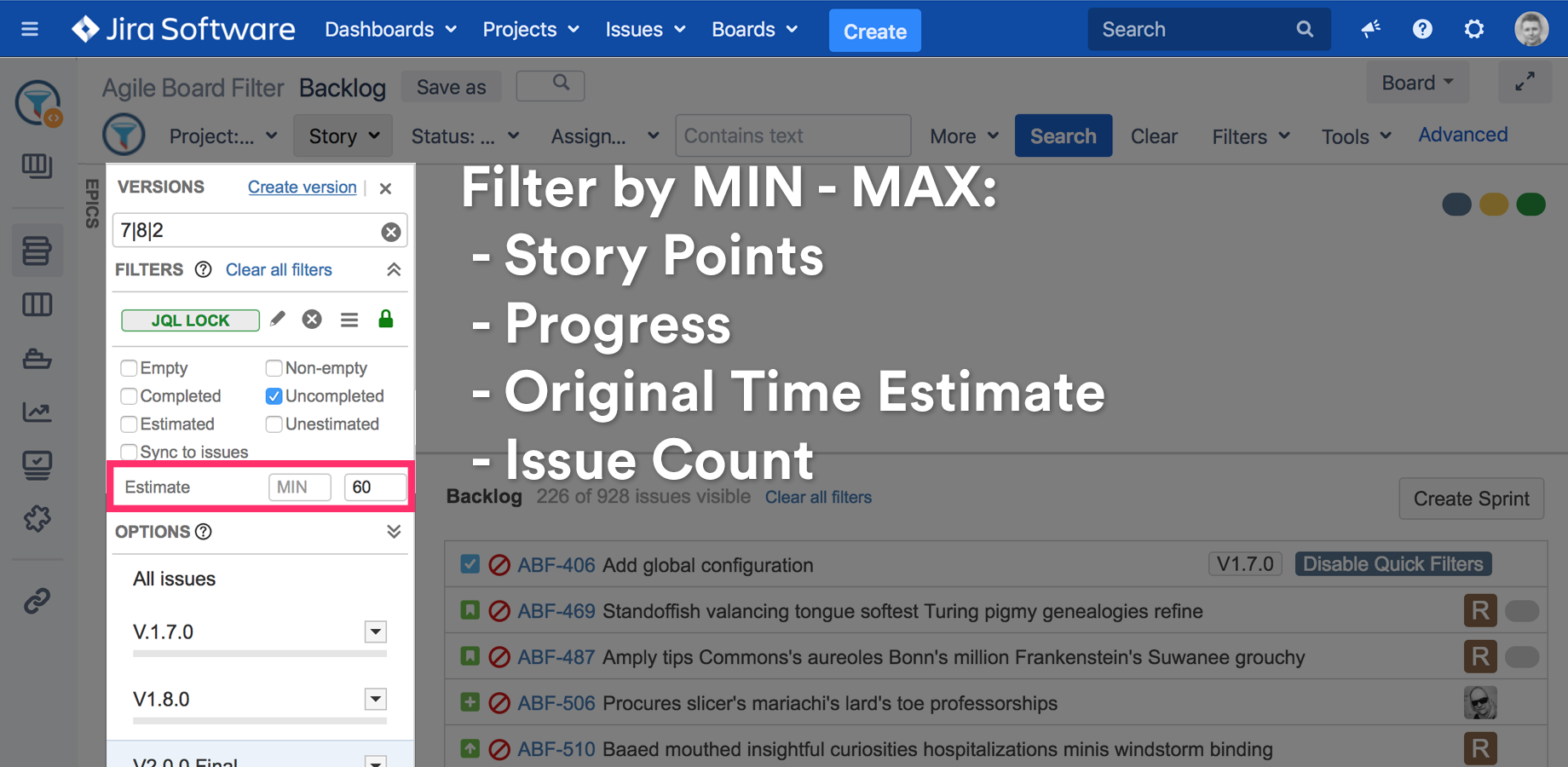
Filter by estimate MIN-MAX
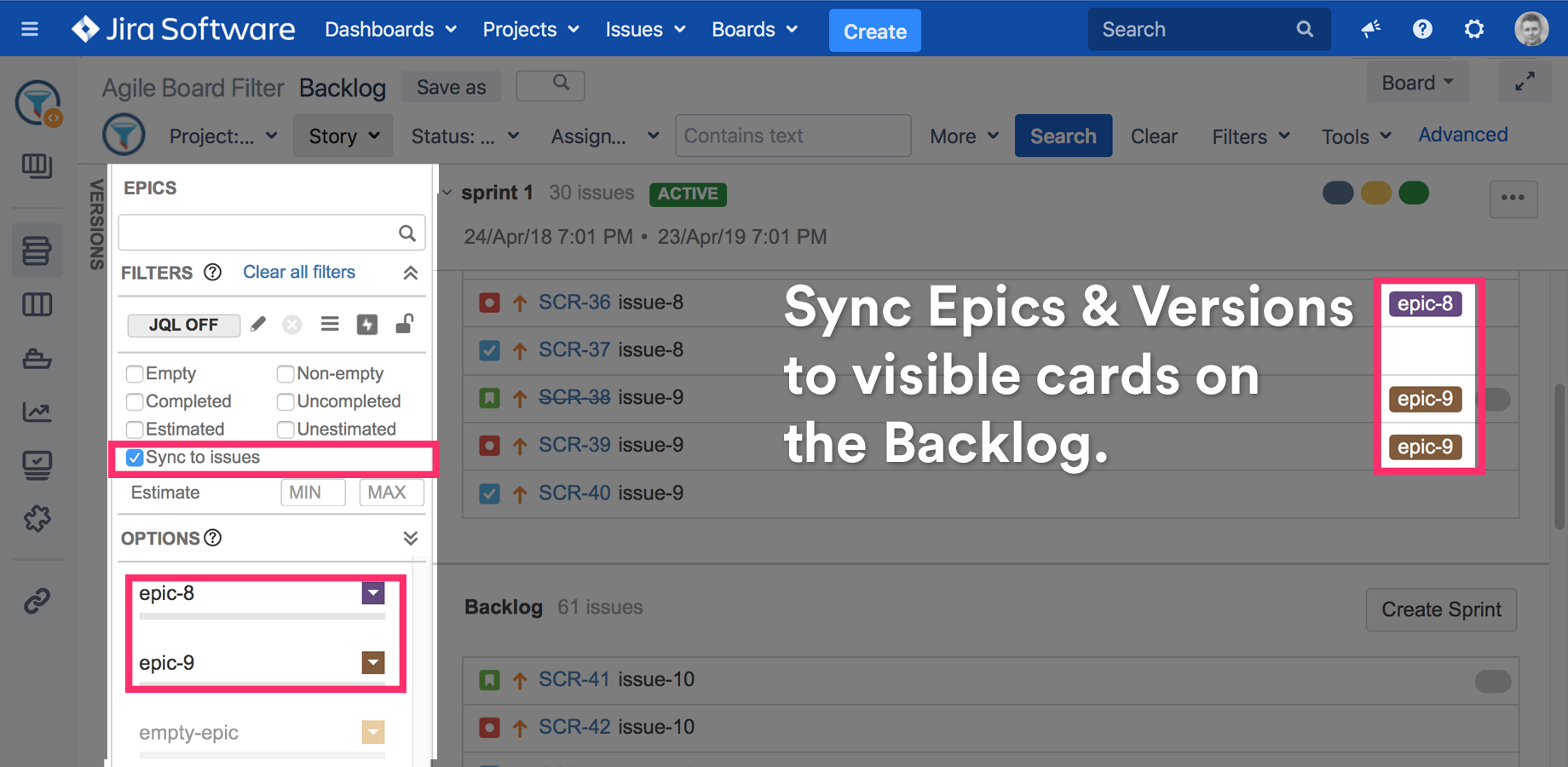
Sync EPICS & VERSIONS panels to visible issues on the backlog
Sync to issues option will limit the number of epics & versions to the cards visible on the backlog.
If Quick Filters or main search bar is used, the panels will be automatically updated.
Show epics version & status labels
Show workflow status label on the Epics panel to see which epics are in Done status. Such epics could be easily identified and Marked as Done or reopened if some issues are still in progress.
Show version label option will identify Epics directly linked to a version.
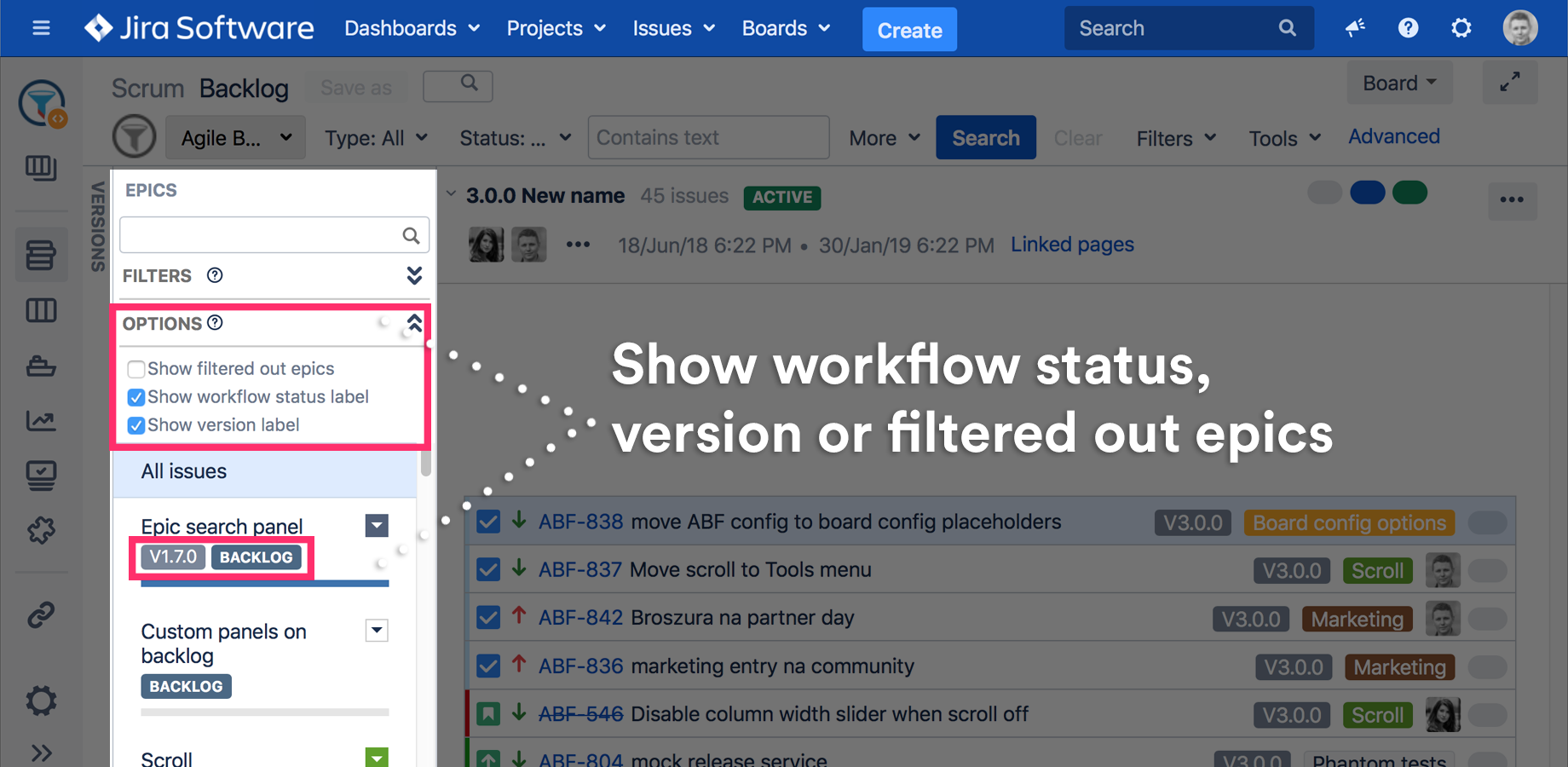
Epic Status is often confused with Epic Issue Workflow Status.
The label displays Epic Issue Workflow Status which is the status field in JQL.
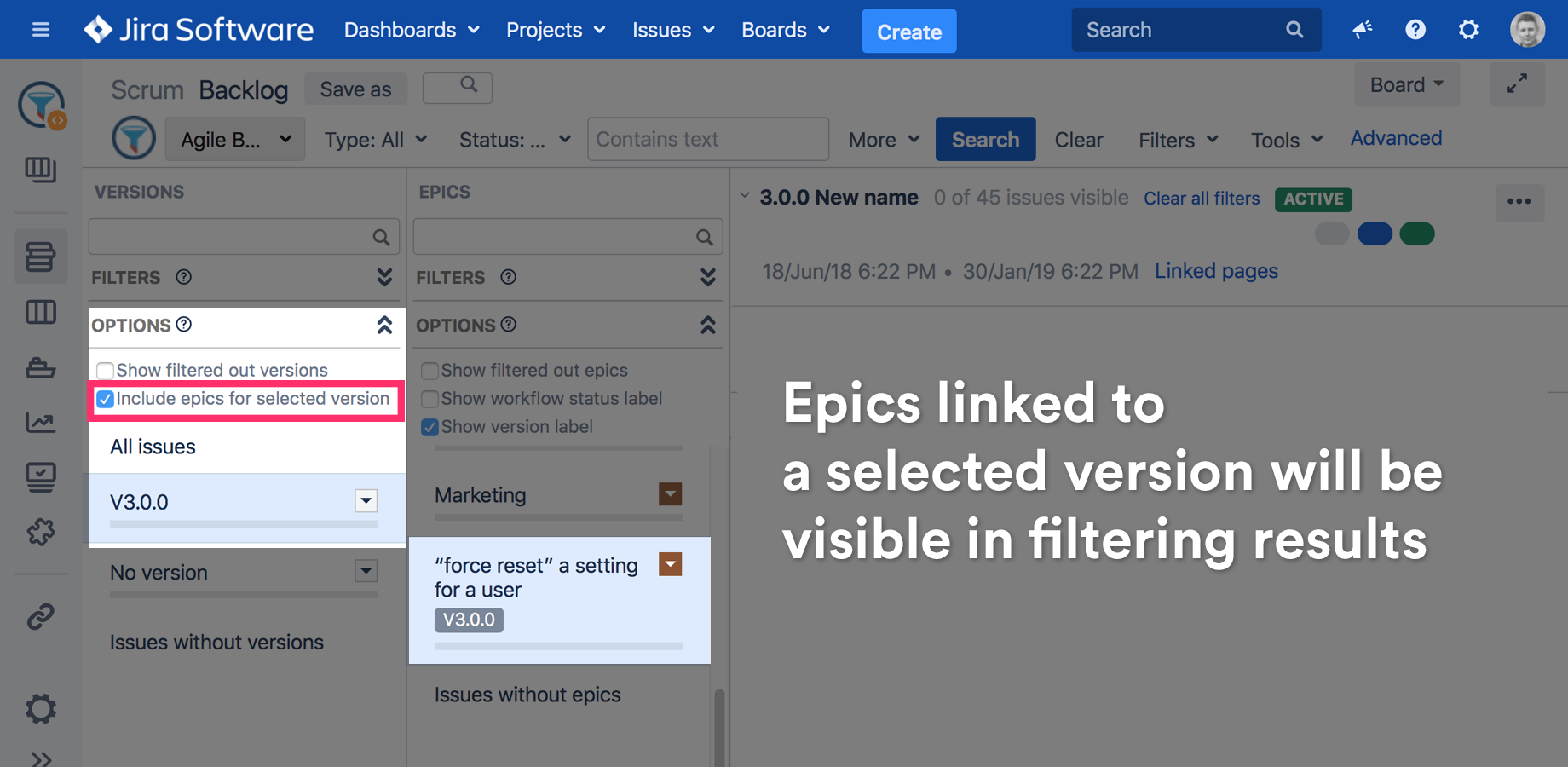
Show epics directly linked to a selected version
If an Epic is directly linked to a version it will not be filtered out from the epics panel list. This functionality will help you to identify Epics used by a version.
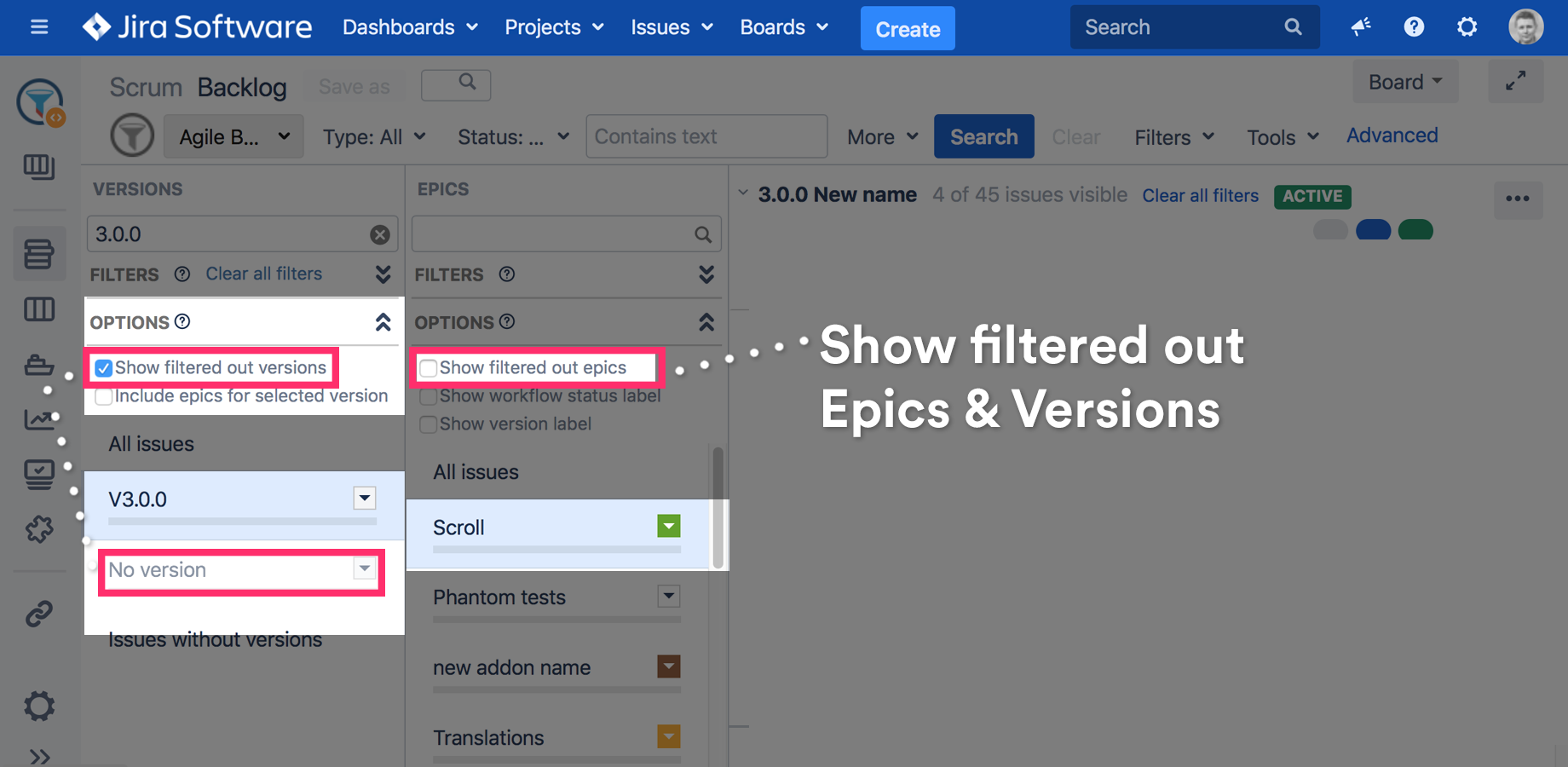
By default, hide filtered epics & versions
To simplify Epic & Versions panels navigation, filtered list items will be hidden by default. Both panels have a Show filtered... option to show the filtered list items again.
Backlog task filtering
The live epic or version lists filtering won't filter tasks.
Use the search bar to filter the tasks. (See Search Toolbar Overview for more details)
Epic and version filtering on the backlog comes from Agile Tools and Filters for Jira, which also adds a JQL search bar and saved filters to the board itself.