
Export filters as JSON, edit them in a text editor and import them to another board or another Jira instance.
Import & Export in the Filter Manager
The Filter Manager allows to import or export all types of filters.
Features:
-
Copy filters between boards
-
Share set of you personal filters with your team members
-
Publish JSON file with some generic filters on the project's wiki page
-
Edit multiple filters in a favourite text editor
The filters can be exported using the Filter Manager tool.
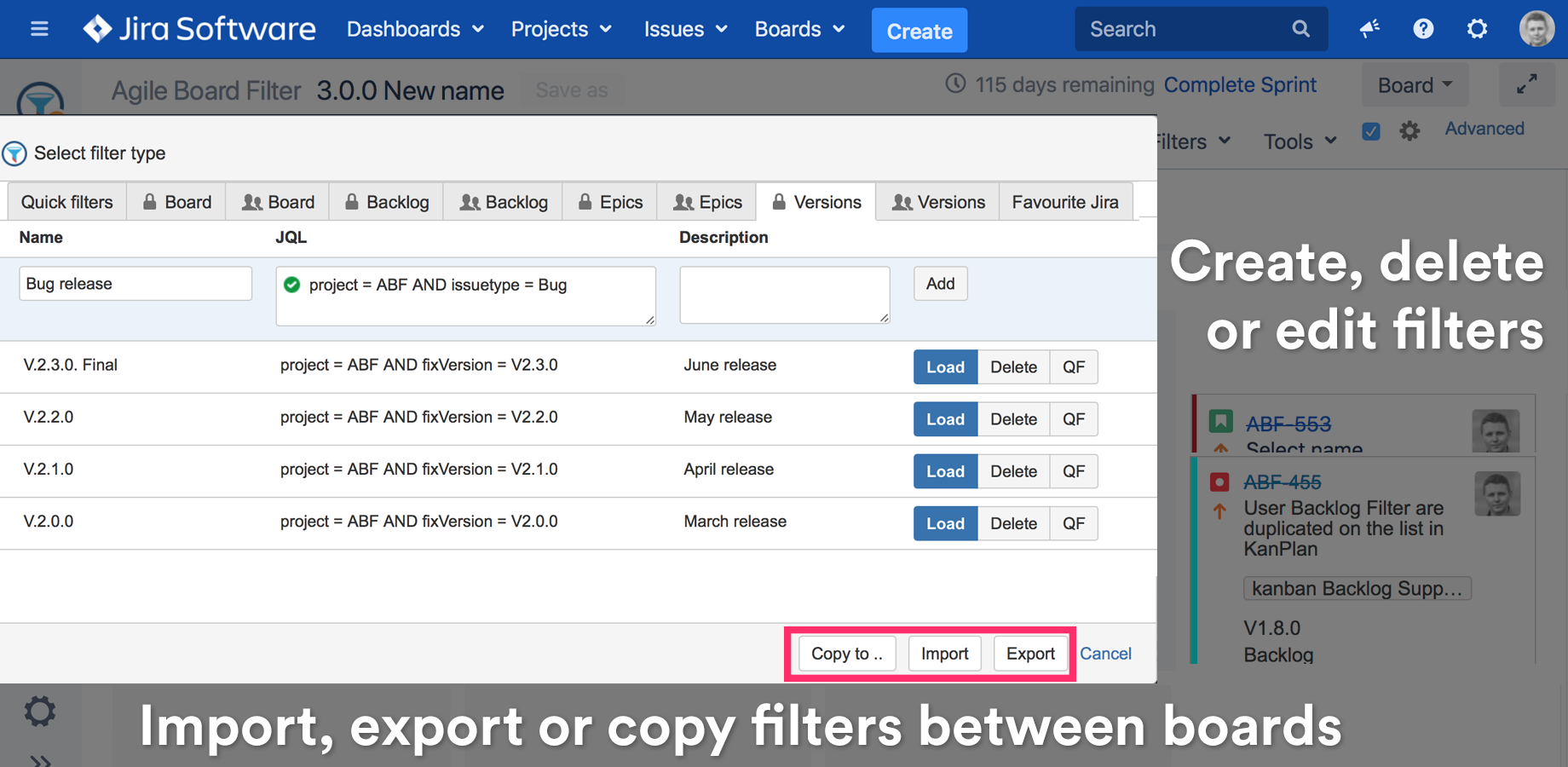
Exporting to JSON format
The filters can be exported from the Board Filters, Backlog Filters or Shared Filters Tabs.
Filters use JSON format and can be edited manually.
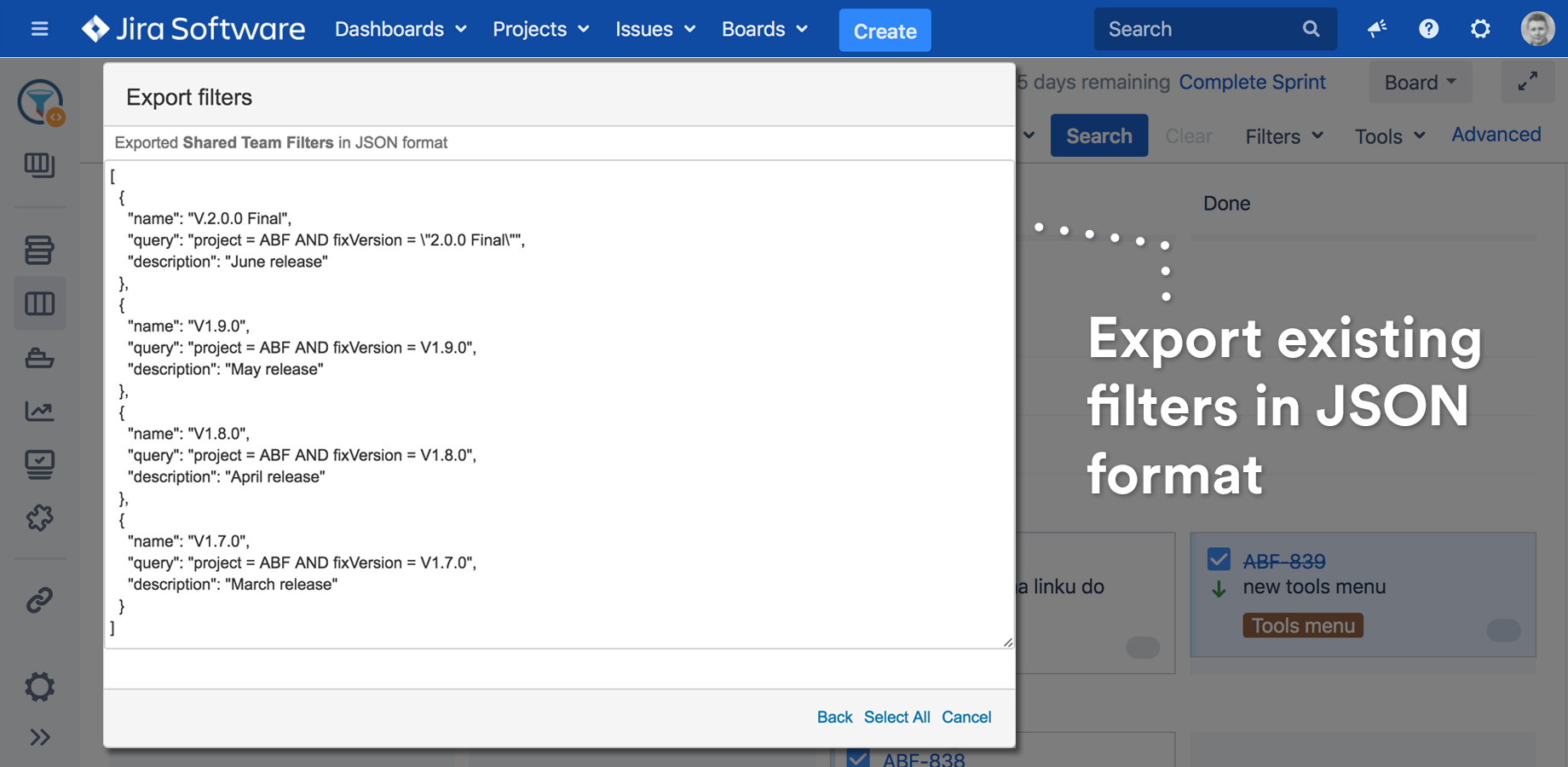
Importing from JSON
Filter Manager allows to create the following filter types:
-
Quick Filters
-
Private Board Filters
-
Private Backlog Filters
-
Shared Team Filters
Favourite Jira Filters are read only and can't be created using the import functionality.
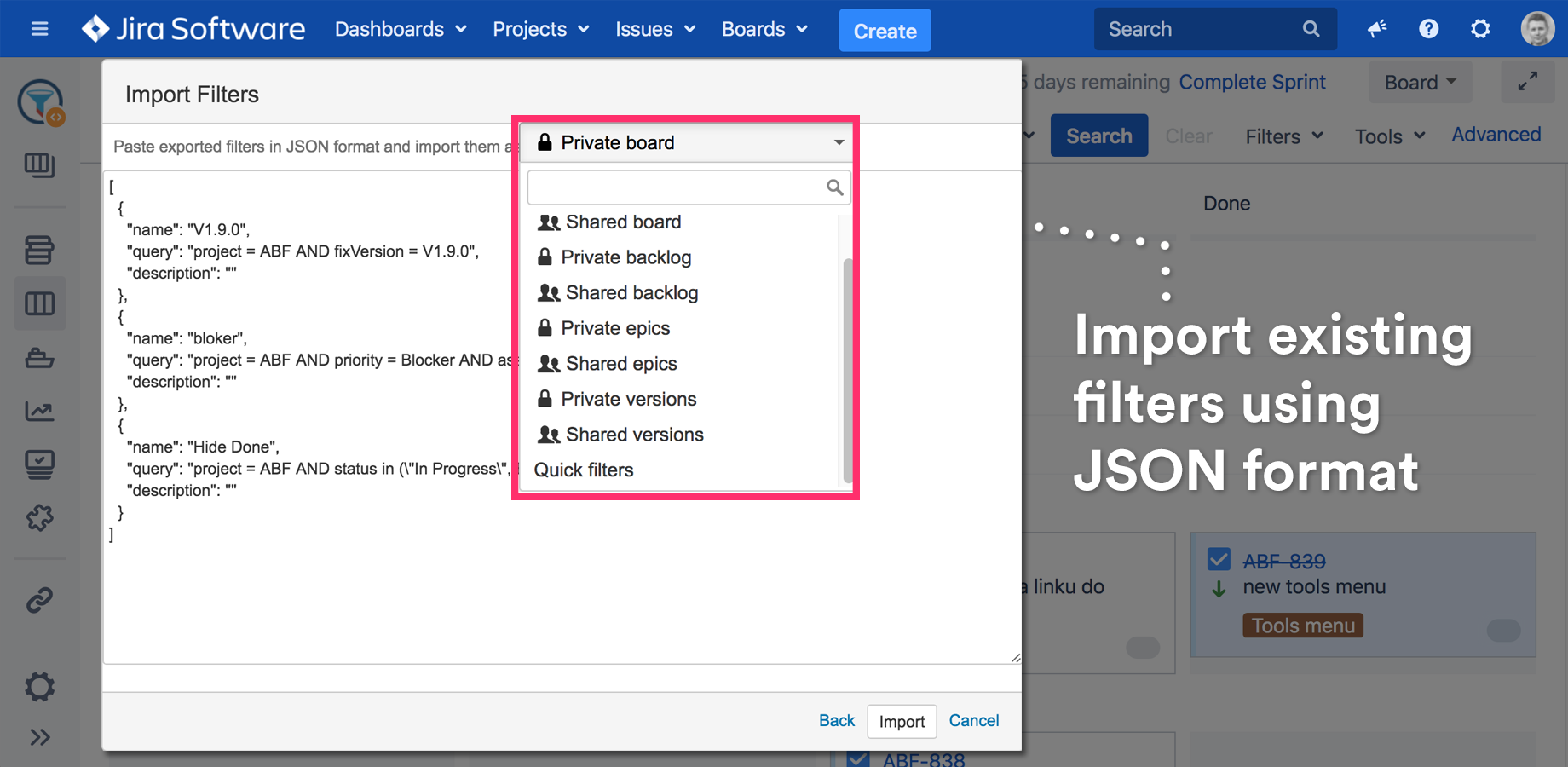
Shared filters can imported by the board administrator only.
Import Errors
In some cases the import may be unsuccessful caused by:
-
Invalid format of the copied JSON
-
Invalid JQL in the JSON - that may happen if Jira fields, projects, etc. will be deleted or renamed